What is No-IP?
The No-IP is a dynamic DNS service that takes your dynamic IP address and makes it act as though it is static by pointing a static hostname to it and checking every 5 minutes for changes to your IP address.
Most people have dynamic IP addresses If they have a broadband Internet connection at home, which makes it difficult to access their network, website, or every-day devices such as a home file server, home automation system, or security camera.
To solve this issue, a Dynamic Domain Name Service (DDNS) can supply a continually updated address, allowing the user to type in a constant, static, easy-to-remember name that ensures they will be connected.
If your IP address changes, then Dynamic Update Client updates your hostname with the current IP address. This means you can run a server from home and access your computer, or IP camera remotely. The No-IP Managed DNS service makes your website reliable and super redundant by handling your website's DNS.
TP-Link Archer C20 AC750 Wireless Dual Band Router (Blue, Not a Modem)
So, why would you want to find your computer on the Internet in the first place?
There are several reasons why you may want to know your dynamic IP address -
- View and control an IP cam from anywhere
- Connect to your computer via Remote Desktop Connection and access your files
- Stream audio and video from your home media server to any location in the world
Why doesn’t everyone have a static IP address?
Well, it’s basically a lot cheaper for ISPs to keep rotating IP addresses to their clients. If you want a static IP address, you will have to pay an extra monthly charge and most ISPs won’t even offer them to residential customers.
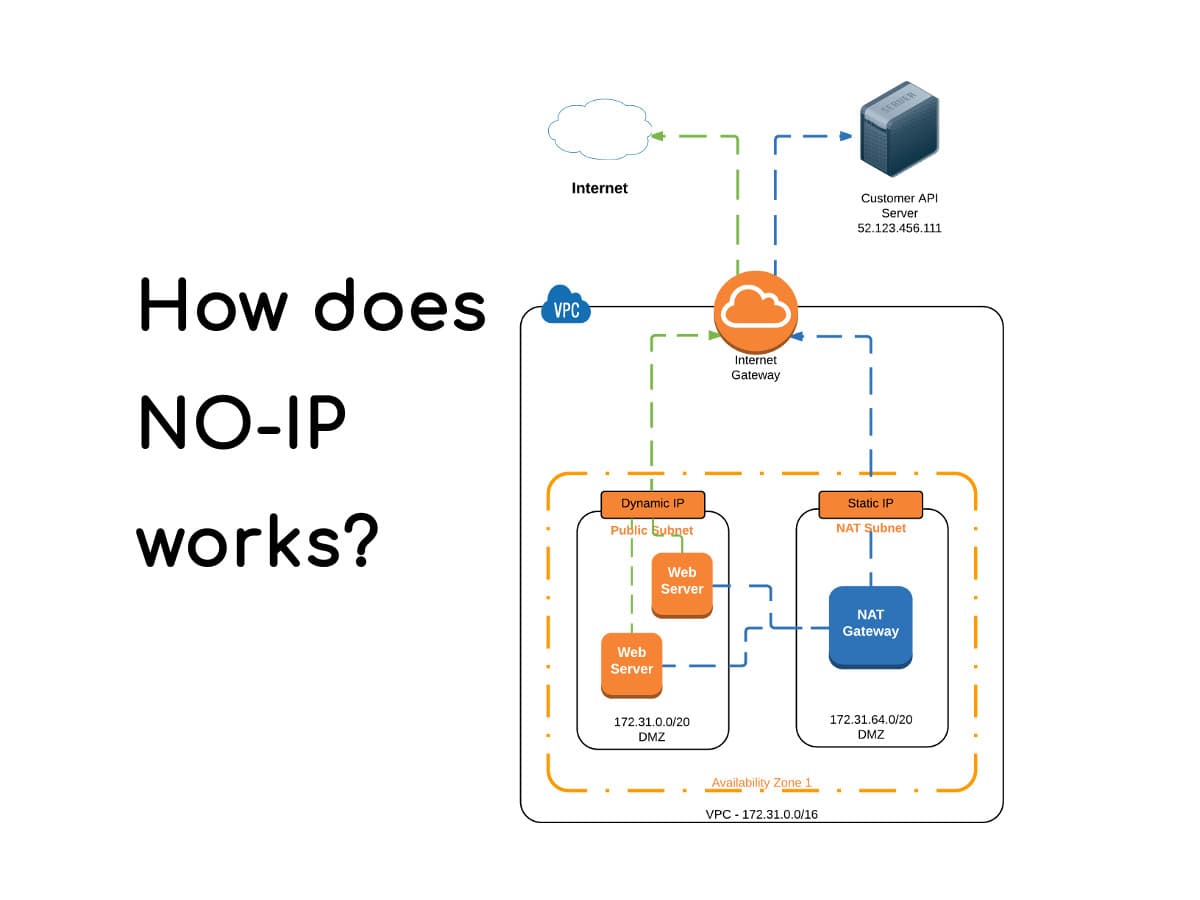
How does it work?
When you visit any web site on the Internet, you can either type in the domain name or you can enter the IP address, like www.geekboots.com. There are DNS servers all over the world that keep track of which names correspond to which IP addresses.
When you visit a website, your computer first looks up the IP address from a DNS server and then requests the site. This is best for servers that have static IP addresses, but not well suited for servers that are on home broadband connections.
The solution to setup dynamic DNS, whereby a third party server, which can be paid or free to keeps track of what its current IP address is and gives out this information when you type in your unique domain name. In this way, you can give your dynamic IP address a virtual static IP address. When connecting to your computer, you would either type in the domain name or you would ping the domain name to find the current IP address.
In order to determine your current IP address, all of these services work in one of two ways: either you install a piece of software on your computer that constantly updates their servers or you configure the service on your router. A lot of newer routers have DynDNS built-in, so you can have the router automatically update the IP address to the dynamic DNS provider when it changes.
The process for setting up dynamic DNS in no-ip.com is coming in the next post, so if you have any questions, feel free to let us know in the comment section below.