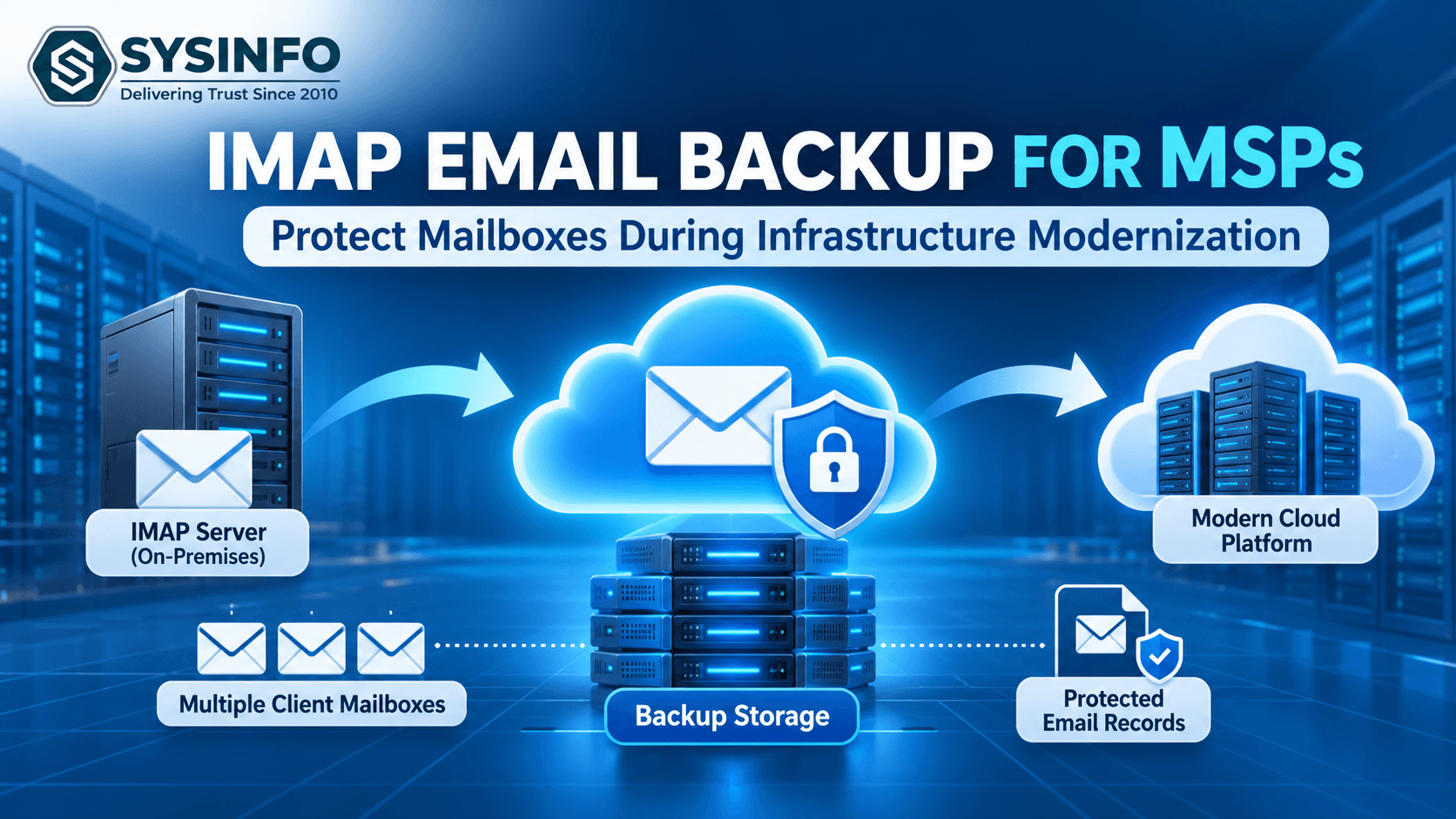
Infrastructure modernization is an important part of digital transformation for businesses. Organizations regularly upgrade their email servers, replace outdated hosting environments, adopt cloud-based platforms, and consolidate communication systems to improve operational efficiency. Managed Service Providers (MSPs) play a significant role in managing these transitions, particularly when clients depend on email for daily business communication.
However, moving from an existing email infrastructure to a modern environment involves several data protection challenges. Business emails often contain customer conversations, financial records, project discussions, contractual agreements, and confidential attachments. Losing access to this information during a server upgrade or email migration can disrupt operations and create serious problems for both clients and service providers.
One commonly overlooked risk is the assumption that email synchronization automatically protects mailbox data. In reality, synchronization and independent backup serve different purposes. MSPs must establish a proper protection strategy before making infrastructure changes.
A structured imap email backup process can help service providers preserve client correspondence, maintain access to historical records, and reduce the possibility of unexpected data loss during modernization projects.
Why Is Email Protection Critical During Infrastructure Modernization?
Modernization projects frequently involve changing the underlying systems responsible for storing and managing business emails. An organization might move from a traditional hosting provider to Microsoft 365, replace an outdated IMAP server, or consolidate several email environments into a centralized platform.
Although these changes can improve performance and administration, the transition period introduces several risks.
1. Unexpected Server Downtime
Older email servers may experience compatibility issues, connectivity problems, or service interruptions during infrastructure upgrades. If the original environment becomes unavailable before the migration is properly completed, accessing existing messages can become difficult.
2. Accidental Email Deletion
During account restructuring, mailbox cleanup, or migration preparation, administrators may unintentionally remove important messages or folders. Without an independent backup, recovering deleted information may not always be possible.
3. Incomplete Mailbox Migration
Large mailboxes, network interruptions, authentication failures, and server limitations can affect migration results. Some messages or attachments may not transfer as expected. Maintaining a separate backup provides another source for verification and recovery.
4. Loss of Historical Business Records
Many businesses retain years of email correspondence for customer support, financial documentation, internal reference, and compliance-related requirements. These records should not become inaccessible simply because an organization changes its email hosting infrastructure.
5. Multiple Client Environments
MSPs often manage different email platforms, hosting providers, and authentication configurations across several customers. Handling these environments without a consistent backup strategy can increase operational complexity.
For these reasons, email protection should be included in every infrastructure modernization plan rather than treated as an additional task after migration.
What Email Backup Challenges Do MSPs Face?
Unlike individual users, managed service providers rarely work with just one mailbox. Their responsibilities may include maintaining hundreds of accounts across multiple organizations, each with different technical requirements.
Some of the most common challenges include:
Managing Multiple IMAP Accounts
An MSP may need to protect dozens of mailboxes before moving a client to a new email platform. Configuring each account individually requires considerable time and increases the possibility of administrative errors.
Preserving Folder Structures
Business users often organize their correspondence into custom folders for customers, departments, projects, and financial activities. Maintaining this organization is important because a mailbox containing thousands of unorganized messages can become difficult to manage after migration.
Handling Large Mailboxes
Long-term business accounts can contain years of conversations and large attachments. Processing these mailboxes requires sufficient storage, stable connectivity, and an appropriate backup approach.
Maintaining Client-Specific Data Separation
MSPs must ensure that each customer's mailbox data remains properly separated. Mixing client archives or storing backup files without suitable access restrictions can introduce security and confidentiality risks.
Meeting Project Deadlines
Infrastructure modernization projects often follow strict schedules. MSPs need repeatable processes that allow them to prepare, back up, verify, and migrate mailbox data without unnecessary delays.
Addressing these challenges requires a combination of technical planning, suitable backup technology, and clearly defined operational procedures.
How Can MSPs Build a Reliable IMAP Email Protection Strategy?
A successful backup strategy should begin before the first migration activity. MSPs should assess each client's environment and determine how mailbox information will be protected throughout the project.
1. Conduct a Complete Mailbox Assessment
Start by identifying all client accounts that require protection. Document the email addresses, mailbox sizes, server details, folder structures, and authentication requirements.
It is also important to identify inactive accounts and archived mailboxes. These accounts may contain historical information that clients still need to retain even if employees no longer use them.
A detailed assessment helps MSPs estimate storage requirements and determine the resources needed for the backup operation.
2. Create Independent Mailbox Backups
Before changing server configurations, create a separate copy of the existing mailbox data. This provides an additional recovery option if the original environment becomes unavailable or the migration produces incomplete results.
A dedicated imap backup tool can simplify mailbox collection by connecting to supported IMAP servers and exporting email information into locally accessible formats.
MSPs should avoid relying entirely on synchronized copies stored in the same email environment. An independent backup should be maintained separately from the source system.
3. Preserve Important Attachments and Folders
Email messages are only one part of business communication. Attachments frequently contain invoices, contracts, technical documents, reports, and customer information.
Administrators should verify that the selected backup method preserves the required attachments and mailbox folders. Custom folders should also be reviewed because they may contain information that is not available in the default Inbox or Sent Items folders.
4. Use Appropriate Export Formats
Different clients may require different formats depending on their destination email platforms and future access requirements.
PST: Useful for organizations working with Microsoft Outlook.
MBOX: Suitable for compatible email applications and mailbox archives.
EML: Helpful for storing individual email messages.
MSG: Useful for individual messages in Outlook-compatible environments.
PDF: Appropriate for readable email documentation and records.
CSV and JSON: Useful for structured information and reporting requirements.
MSPs should confirm the client's requirements before selecting an export format.
5. Verify the Backup Before Migration
Creating backup files is not enough. Service providers should also confirm that the exported information is accessible and complete.
Verification should include checking the expected folders, message counts, attachments, and sample conversations. Any processing errors should be investigated before the original email environment is modified or decommissioned.
Maintaining a clear verification record also makes it easier to demonstrate that the backup stage was completed.
How Can MSPs Handle Bulk IMAP Mailbox Backups More Efficiently?
Managing multiple client accounts individually can become inefficient, particularly during large infrastructure modernization projects.
For example, consider an MSP responsible for migrating 150 employee mailboxes from a traditional hosting provider to Microsoft 365. Each mailbox may contain different folders, attachments, and historical conversations.
Processing these accounts one by one increases administrative effort. It can also make it difficult to maintain consistent backup procedures across the entire project.
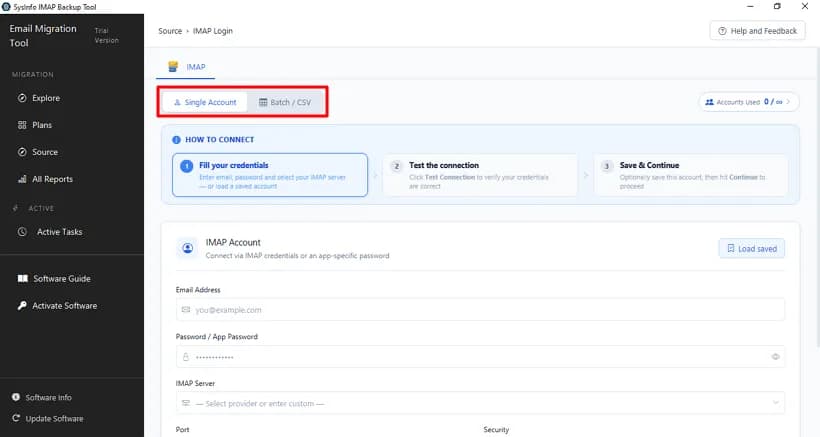
An imap backup software solution with batch processing capabilities can help reduce repetitive configuration. MSPs can prepare account details together, connect to multiple supported mailboxes, select the required folders, and export the data according to project requirements.
Other useful capabilities include:
CSV-based account configuration for managing multiple mailboxes.
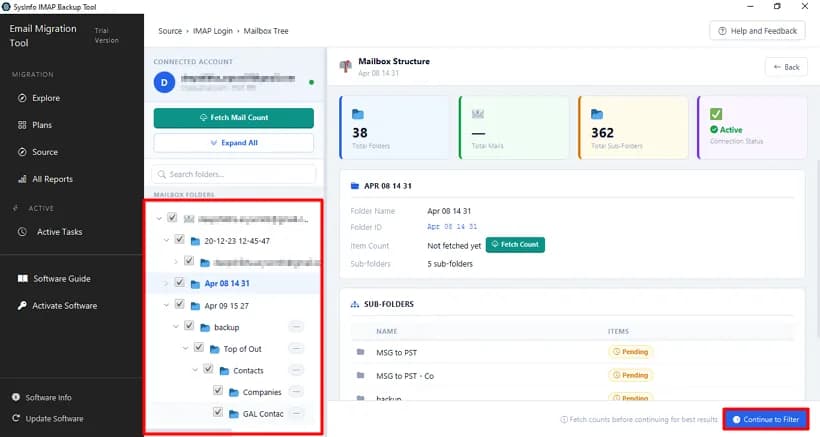
Folder selection for controlling which mailbox information is processed.
Date-based filtering for selecting relevant email records.
Duplicate removal to reduce unnecessary repeated messages.
Attachment handling for preserving important business documents.
Incremental processing to help manage subsequent backup or migration operations.
Processing reports to review successful, skipped, and failed items.
These features can make mailbox preparation more manageable, especially when service providers handle several modernization projects simultaneously.
However, batch processing should always be combined with account-level verification and proper client data separation.
Why Should MSPs Include Email Backup in Their Disaster Recovery Planning?
Infrastructure modernization and disaster recovery are closely connected. Although the primary objective of modernization is to improve existing technology, unexpected problems can occur during the transition.
An independent email archive provides another source of information when the original mailbox cannot be accessed.
For example, suppose an MSP is migrating a client's email environment from an older IMAP hosting service to a cloud-based platform. During the process, some accounts experience authentication problems, while others contain incomplete folders.
If the MSP has already created and verified separate mailbox backups, the team can refer to those copies when investigating missing information.
Email backups can also support:
Recovery planning after unexpected server failures.
Long-term retention of important business correspondence.
Access to historical messages after employee account deactivation.
Client offboarding and email account restructuring.
Investigation of missing or incorrectly transferred messages.
Reference during future email platform upgrades.
MSPs should establish clear retention periods, access controls, encryption practices, and recovery procedures for every client archive. Backup files should be stored in secure locations with access limited to authorized personnel.
How Can MSPs Simplify IMAP Backup and Migration Operations?
Service providers looking to standardize their mailbox protection workflow can consider dedicated backup solutions that support multiple accounts and flexible export options.
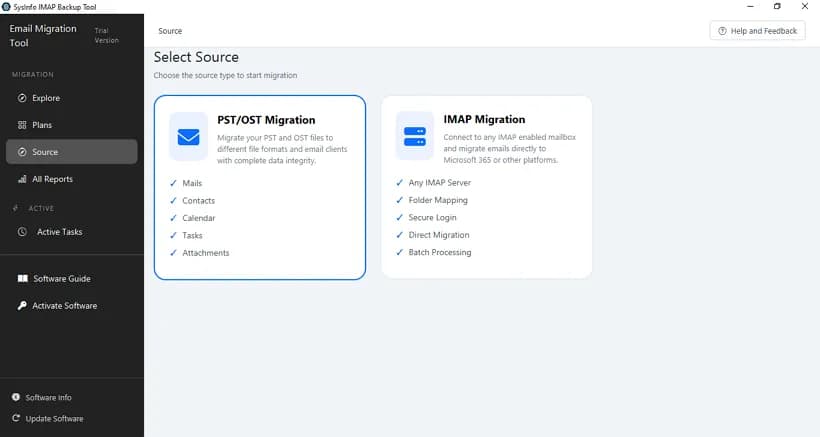
The SysInfo IMAP Backup Tool is designed to back up IMAP mailboxes and support email migration requirements. It provides single-account and batch account processing, including CSV-based configuration for managing multiple mailboxes.
The software supports exporting mailbox data into PST, MBOX, PDF, EML, MSG, DOC, DOCX, CSV, and JSON formats. It also provides folder selection, date filtering, duplicate removal, attachment management, and incremental migration options.
MSPs can use these capabilities when preparing client mailboxes for infrastructure changes or maintaining independent email archives.
The application supports various IMAP-enabled email services, including Gmail, Yahoo Mail, Zoho Mail, Microsoft 365, Google Workspace, and other compatible providers.
It also provides mailbox previews and processing reports that help users review processed, skipped, and failed items. A free trial is available, allowing users to evaluate the application and save up to 100 emails per folder.
Before adopting any solution for a client project, MSPs should test the required server connections, authentication methods, export formats, and mailbox configurations in a controlled environment.
Best Practices MSPs Should Follow Before Decommissioning an Old Email Server
Decommissioning an existing email server should be the final stage of a carefully planned transition. Removing the old infrastructure too early can create unnecessary recovery challenges.
MSPs should follow these practices before closing the previous environment:
Complete the mailbox inventory: Confirm that every required client account has been identified and included in the backup plan.
Verify backup accessibility: Open sample exported messages and confirm that the expected attachments and folders are available.
Compare source and destination data: Review message counts and folder structures to identify potential migration gaps.
Maintain secure archives: Store backup files in access-controlled locations and apply suitable encryption and retention policies.
Document migration results: Maintain reports of completed accounts, processing errors, and unresolved issues.
Obtain client confirmation: Ensure the client has approved the migration results and understands the retention arrangements.
Follow a controlled decommissioning process: Remove the previous server only after the necessary data protection and migration checks have been completed.
These practices help MSPs establish a repeatable process while reducing the risks associated with infrastructure modernization.
Conclusion
Infrastructure modernization creates opportunities for businesses to improve their email environments, but the transition should never compromise existing communication records. For MSPs, protecting client mailbox information is an important responsibility that requires preparation, reliable backup procedures, and careful migration verification.
By assessing client environments, creating independent mailbox archives, preserving attachments, processing multiple accounts efficiently, and validating the results, managed service providers can reduce email-related migration risks.
A well-organized backup strategy also strengthens client confidence and makes future infrastructure upgrades easier to manage. Rather than treating email protection as a last-minute precaution, MSPs should make it a standard part of every modernization project.
Frequently Asked Questions5 FAQs
Quick answers to common questions about this topic
Ans: An independent backup helps preserve client emails, attachments, and historical correspondence before server changes. It also provides an additional recovery source if migration problems occur.
Ans: Yes. Solutions that support batch processing and CSV-based account configuration can help MSPs manage multiple mailbox backup operations. Each client's information should remain properly separated.
Ans: Not necessarily. When a message is deleted from the server, the change may synchronize across connected email applications. Independent backups provide an additional layer of protection.
Ans: PST, MBOX, EML, MSG, and PDF are common choices. The appropriate format depends on the client's email platform, archive requirements, and future accessibility needs.
Ans: Yes, according to the client's retention policy and applicable contractual or regulatory requirements. Retaining verified backups for an agreed period can help with troubleshooting and historical information retrieval.