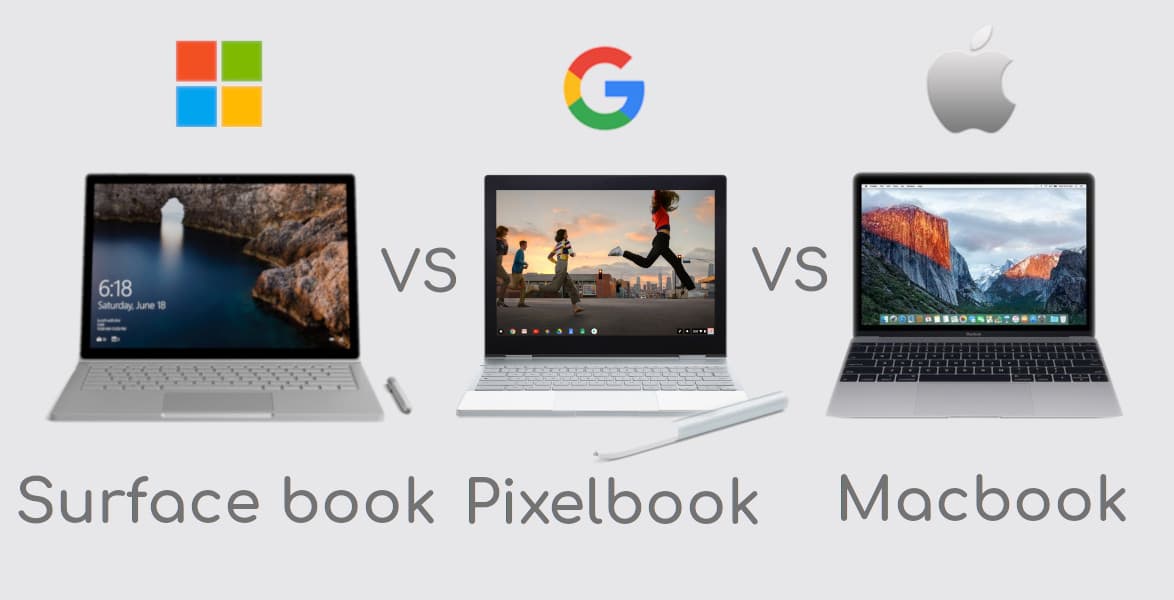

In the last couple of years, we've got a situation where Google, Microsoft, and Apple all have flagship laptops on the market. Processor power and screen size might grab a lot of the attention when it comes to weighing up laptops, but the onboard software is going to make just as much of a difference to your computing experience. You may have already settled on one of these operating systems for life, but each one has its own pros and cons.
So which one of these high-end machines is going to be the right pick for you? Here we'll highlight some features of these devices to guide you pick the best one for you or for your circle.
Pixelbook vs Macbook vs Surface book
-
Apple's OS is slick and powerful, and comes with a ton of included Apple software, while Microsoft's OS is just as impressive in the performance and features stakes and a better choice for gamers or those working with non-Apple hardware.
-
Chrome OS on the Pixelbook is essentially just Chrome - that means you can't install desktop apps or do much offline, but it also means the system is lightweight, secure, and unlikely to slow down over time.
-
Pixelbook can now run Android apps as well, giving you access to the likes of Instagram, Netflix, Spotify, and all those other apps you use every day on your phone.
-
All three feature bright, crisp screens, though if you want a bigger, 15-inch model your choices are restricted to Microsoft or Apple. If you want the 2-in-1 tablet transforming option, meanwhile, or want to use a stylus, then you have to go for hardware from either Google or Microsoft. The MacBook Pro doesn't have a touchscreen, but it does have a Touch Bar, which works with an increasing number of apps.
-
Chrome OS is lightweight and fast but will only suit a particular kind of user, while your preference for Microsoft or Apple hardware may well come down to the other devices you're using and the devices you've used in the past.
-
Microsoft's Surfaces is a better bet for those that need to get serious work done.
-
The thinnest and lightest ultraportables are the Google Pixelbook and Microsoft Surface Laptop.
-
You can use Pixelbook as a traditional laptop, or you can fold the keyboard underneath the screen and use it as a tablet. The key thing to note is that the screen does not detach from the keyboard.
-
The Surface Laptop is a traditional laptop, albeit with a touchscreen. Its hinge is traditional, too, so you can tilt it back to get a comfortable viewing angle, but it certainly doesn’t go 360° like the Pixelbook’s.
-
The Pixelbook has a 12.3in screen with a 3:2 aspect ratio and the Surface Laptop shares this shape, but at 13.5in. Considering the larger screen, it's amazing that the Surface weighs only 150g more than the 1.1kg Pixelbook.
-
Surface book runs Windows 10 S which limits you to install apps only from the Windows Store.
-
With the Pixelbook you can install Chrome apps and Android apps.
-
On the Surface Laptop, you can switch from ‘S’ to Windows 10.
-
The Surface Book is better for productivity and the Pixelbook is a better choice if entertainment is your priority.
-
The Surface Book supports the Surface Pen.
-
The Surface Book is the most expensive Surface device. It looks and works like a traditional laptop, but the 13.5in screen detaches from the keyboard so you’re left with a tablet.
-
MacBook Pro looks fairly similar to previous iterations, especially from the outside. It has the classic unibody, aluminum chassis that has become iconic of the MacBook line.
-
In MacBook, you’ll see the narrowed-down bezels, expanded TouchPad, shallow keys, and thinner body. Some models also offer the Touch Bar, a small OLED touchscreen that shows contextual options.
-
Apple has resisted the trend of touchscreen laptops, and instead introduced the Touch Bar as a solution to that problem. The Touch Bar is a small, OLED touchscreen that shows contextual options.
-
The MacBook Pro runs MacOS, a full-fledged desktop operating system, while Chrome OS is a pared down software experience that has limited functionality.
-
The MacBook Pro with Touch Bar has four ports.
-
The MacBook Pro does actually use a standard Core i5 processor and can be configured up to an Intel Core i7 with a “Turbo Boost” up to 4.0GHz.
-
The 13-inch MacBook Pro doesn’t disappoint in performance.
-
The MacBook Pro scored better than all its competitors, including hard-hitters like the Surface Book with Performance Base.
-
Though gaming on the MacBook Pro still isn’t up to the bar, creative professionals should be happy with what they’re getting on this laptop.
-
MacBook Pro is a more capable laptop in terms of performance. Throw in incredibly fast hard drive performance.
-
The MacBook Pro’s battery life is on par with similar 13-inch laptops of its ilk, but it doesn’t exceed expectations.
-
MacOS is a much more expensive system that Apple is constantly updating and working on. We haven’t seen that kind of commitment from Google quite yet.
-
The Google Pixelbook comes in one size, with a 12.3-inch, 2,400 x 1,600-pixel screen (235 PPI). Under the hood, you can have either an i5 or i7 processor, together with 8GB or 16GB of RAM. In terms of onboard storage, meanwhile, your choices are a 128GB, 256GB or 512GB solid-state drive.
-
Microsoft Surface Book 2 gives you a choice of a 13.5-inch or a 15-inch screen, both with resolutions of 3,000 x 2,000 pixels (267 PPI or 240 PPI). Again you've got a choice of i5 or i7 processors as well as 8GB or 16GB of RAM, but in this case, the onboard storage choices are 256GB, 512GB or a whole 1TB.
-
Apple's MacBook Pro comes with either a 13.3-inch, 2,560 x 1,600 (227 PPI) screen, or a 15.4-inch, 2,880 x 1,800 (220 PPI) screen. Intel's i5 and i7 CPUs are again on offer, with the other choices 8GB or 16GB of RAM, and 128GB, 256GB, 512GB, 1TB or 2TB of SSD storage.