Managing business data across multiple Microsoft 365 environments can become complicated, particularly when organizations undergo mergers, acquisitions, or internal restructuring. In these situations, transferring user accounts and business information into a centralized environment becomes an important requirement. Tenant to tenant migration provides a structured way to move essential information from one Microsoft 365 tenant to another.
However, transferring organizational data involves several technical considerations. Administrators must handle mailbox mapping, authentication, data integrity, and migration planning to ensure a smooth transition. Using dedicated migration software can simplify these operations and reduce the workload associated with large migration projects.
Understanding the Need for Microsoft Tenant to Tenant Migration
Microsoft 365 tenants operate independently, with separate users, domains, security configurations, and cloud resources. When businesses need to combine or separate their IT infrastructure, moving information between these environments becomes necessary.
Common situations that require migration include:
Merging two or more organizations.
Moving acquired company employees into a parent organization.
Separating departments into independent business environments.
Consolidating multiple Microsoft 365 subscriptions.
Changing organizational domains.
Reorganizing business communication systems.
A properly planned Microsoft tenant to tenant migration helps organizations maintain access to important business information during these transitions.
Important Considerations Before Starting Migration
Before moving data, administrators should evaluate both environments and prepare a migration strategy.
Source and Destination Assessment
Identify the number of users, mailbox sizes, existing domains, and required data. This assessment helps determine the migration workload and required resources.
User Account Preparation
Destination accounts must be available before transferring mailbox information. Administrators should establish accurate source-to-destination user mapping.
Authentication Configuration
Both environments require appropriate permissions and authentication settings to establish secure migration access.
Migration Scheduling
Large organizations should divide migration activities into manageable batches to maintain better control over the process.
Challenges Associated with Office 365 Cross Tenant Migration
Although Microsoft 365 provides cloud-based services, moving information between separate tenants can involve several challenges.
Maintaining Mailbox Structure
Business mailboxes contain emails organized into multiple folders. Maintaining this hierarchy helps employees locate historical communication after migration.
Handling Attachments and Metadata
Attachments, email properties, timestamps, and other important information must remain accurate throughout the transfer.
Managing Multiple Mailboxes
Migrating hundreds of accounts individually increases administrative effort and project duration.
Reducing Business Disruption
Email communication is essential for daily operations. Migration activities must be carefully scheduled to minimize interruptions.
MailsDaddy Office 365 Tenant to Tenant Migration Solution
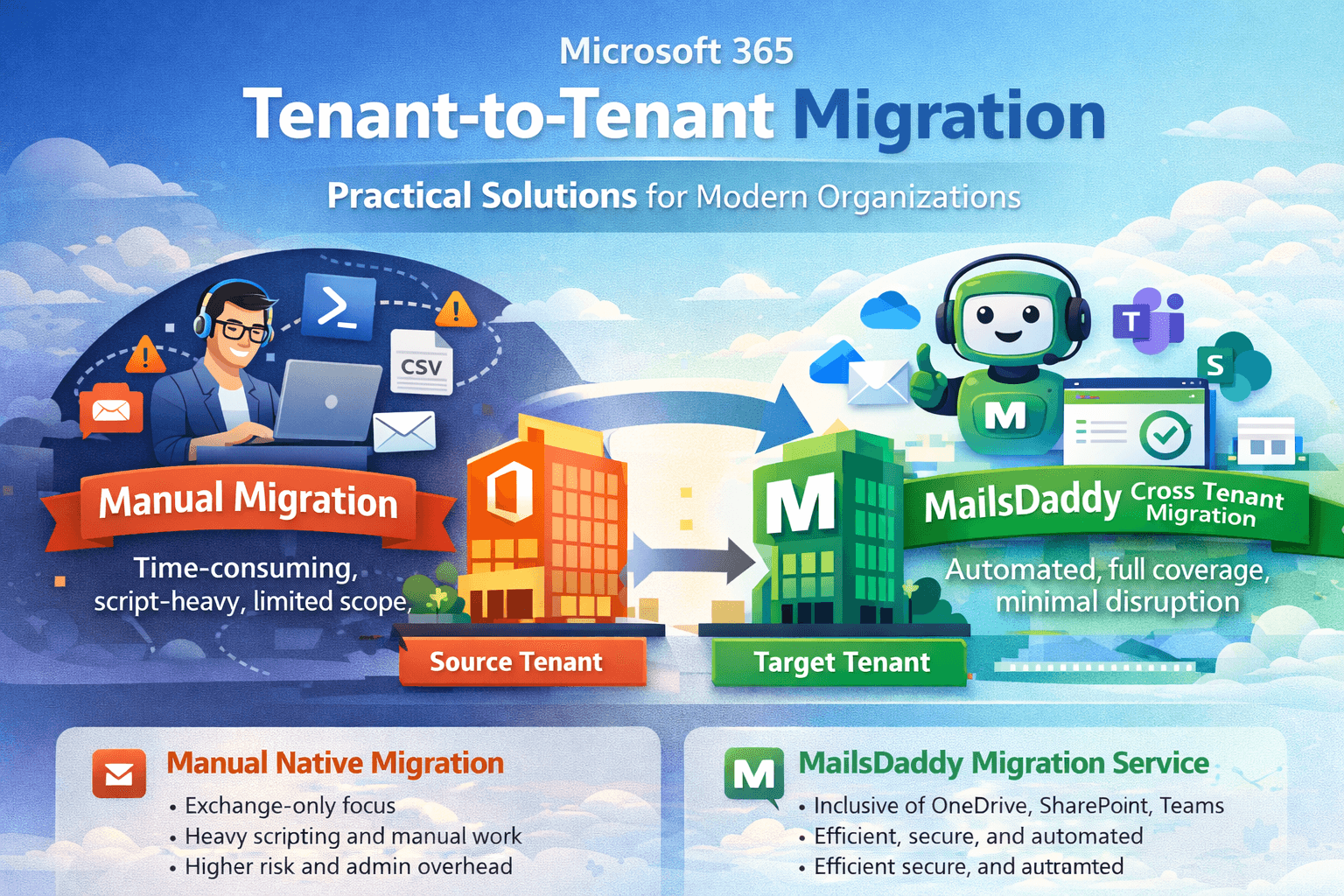
The MailsDaddy Office 365 Tenant to Tenant Migration Solution provides a dedicated approach for businesses that need to transfer mailbox information between Microsoft 365 environments.
Product Page: https://www.mailsdaddy.com/services/cross-tenant-migration.php
Instead of depending entirely on complicated manual procedures, administrators can use this solution to manage migration activities through an organized interface.
Direct Mailbox Migration
The software facilitates direct mailbox transfer between source and destination Microsoft 365 tenants. This reduces the dependency on intermediate PST exports and imports.
Bulk Mailbox Processing
Organizations managing multiple employee accounts can process mailboxes in bulk. This capability is particularly useful during corporate acquisitions and large-scale tenant consolidation projects.
Preservation of Folder Hierarchy
Maintaining the original mailbox structure is important for business users. The solution preserves folder hierarchy during migration, helping employees access their information in an organized manner.
Attachment and Metadata Retention
Business emails frequently contain important documents and historical information. MailsDaddy is designed to retain attachments and supported metadata during mailbox transfer.
Automated Migration Workflow
The migration process includes automation capabilities that reduce repetitive administrative tasks. This helps IT teams manage multiple migration activities more efficiently.
Advanced Authentication
Secure authentication is an important requirement when connecting independent Microsoft 365 environments. The solution provides advanced authentication capabilities for establishing migration access.
Detailed Migration Reporting
Administrators need visibility into migration progress and completed activities. Reporting capabilities help track the process and review migration results.
How to Migrate One to Another Tenant in Microsoft 365
A typical migration workflow involves the following stages:
Prepare the source and destination Microsoft 365 tenants.
Configure the required administrative permissions.
Establish authentication for both environments.
Connect the source and destination accounts.
Map source mailboxes to destination mailboxes.
Select the required migration data.
Start the migration process.
Review reports and verify the transferred information.
Following a structured workflow helps reduce configuration mistakes and improves migration management.
Advantages of Using a Dedicated Migration Tool
A professional migration solution offers several operational benefits:
Simplifies complex mailbox migration activities.
Supports bulk processing for multiple users.
Reduces repetitive administrative work.
Maintains folder hierarchy and supported metadata.
Helps preserve email attachments.
Provides advanced authentication capabilities.
Offers migration reporting.
Makes large migration projects easier to manage.
These capabilities are particularly valuable when businesses need to migrate large numbers of mailboxes within limited migration windows.
Best Practices for Successful Microsoft 365 Migration
Before completing an Office 365 tenant to tenant migration, organizations should follow a few important practices:
Create backups of critical business information.
Verify source and destination account details.
Test the migration with a small number of users.
Review mailbox mapping before processing.
Schedule major migration activities during low-usage hours.
Monitor migration reports regularly.
Verify mailbox content after migration.
Proper preparation helps prevent avoidable issues and improves the overall migration experience.
Conclusion
Tenant to tenant migration plays an important role in modern business restructuring and Microsoft 365 environment consolidation. Transferring organizational mailboxes requires careful planning, accurate user mapping, secure authentication, and proper data verification.
The MailsDaddy Office 365 Tenant to Tenant Migration Solution simplifies mailbox transfer through direct migration, bulk processing, automated workflows, advanced authentication, folder hierarchy preservation, and detailed reporting.
For businesses planning to move between Microsoft 365 environments, this solution provides a practical way to manage complex migration requirements while reducing administrative effort and maintaining access to essential business communication.
Frequently Asked Questions5 FAQs
Quick answers to common questions about this topic
Tenant to tenant migration is the process of transferring data, users, and supported services from one Microsoft 365 or Office 365 tenant to another. It is commonly performed during company mergers, acquisitions, restructuring, and tenant consolidation.
Businesses require Microsoft tenant to tenant migration when combining multiple organizations, changing domains, separating departments, or consolidating their Microsoft 365 environments. It helps centralize business data and simplify administration.
Depending on the migration solution and project scope, data can include Exchange Online emails, attachments, contacts, calendars, tasks, OneDrive files, SharePoint content, and other supported resources.
Tenant to tenant mailbox migration involves transferring mailbox information from a source Microsoft 365 tenant to a destination tenant. It can include emails, attachments, contacts, calendars, tasks, and folder structures.
Yes. Dedicated migration solutions such as MailsDaddy Office 365 Tenant to Tenant Migration Solution support bulk mailbox processing, helping administrators manage multiple user accounts within a single migration project.