Emails often contain important information such as business conversations, personal messages, attachments, and receipts. As email collections grow, choosing the right format to store them becomes important.
EML and MBOX are two commonly used email formats. Both help users save email data, but they differ in how messages are organized and stored. Understanding these differences can help you choose the right format for your needs.
What Is the EML Format?
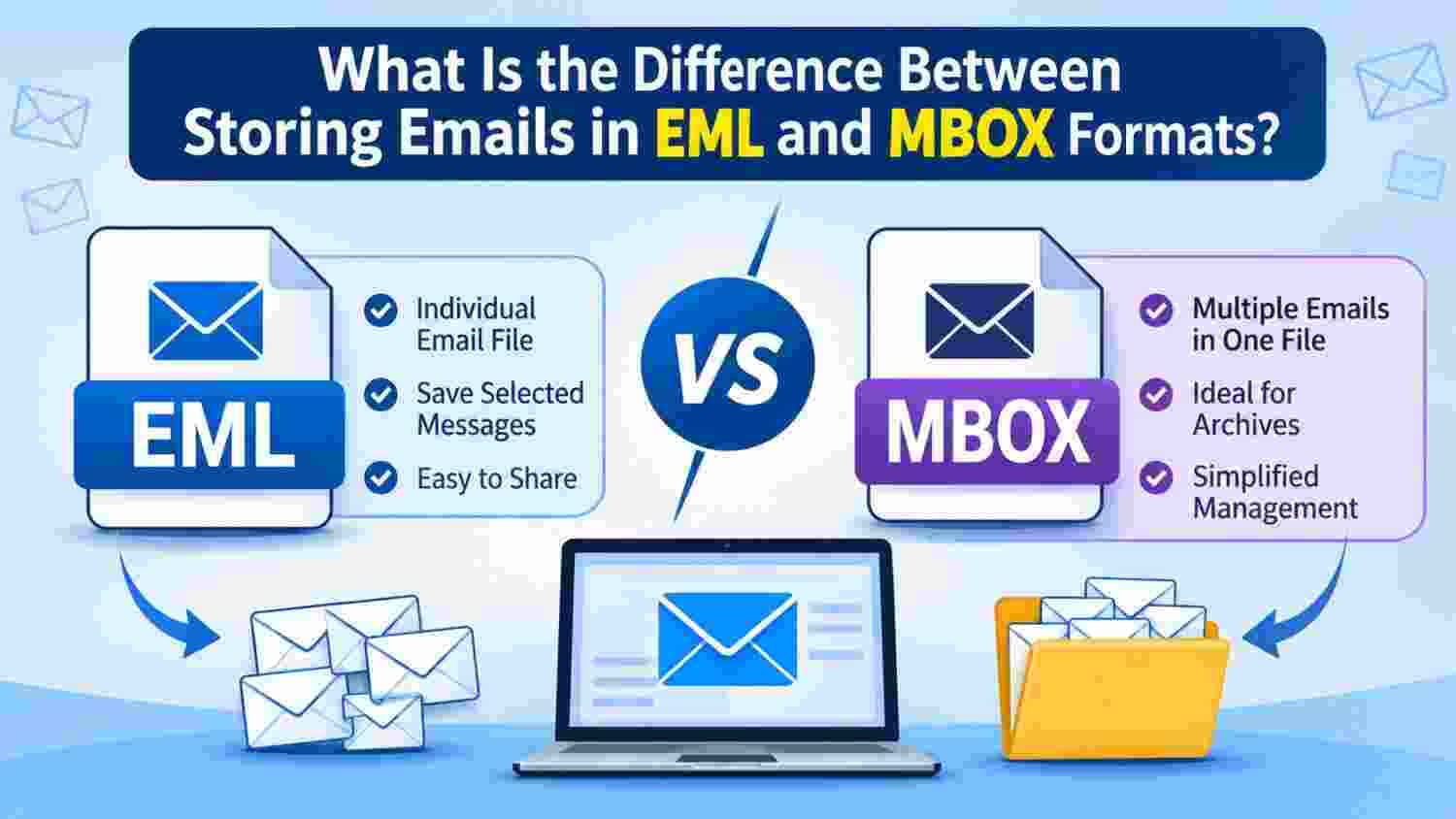
EML is a file format used to save an individual email message. It generally stores details such as the sender, recipient, subject, date, message body, and attachments.
Each email is saved as a separate file. For example, if you save ten messages in EML format, you will usually have ten individual files.
EML is useful when you want to:
Save specific email conversations separately.
Share individual email messages.
Keep selected emails for future reference.
Organize important messages as separate files.
However, managing hundreds of individual EML files can become difficult over time.
What Is the MBOX Format?
MBOX is a mailbox storage format that keeps multiple email messages together in a single file. Instead of maintaining separate files for every message, users can store an entire collection in one mailbox archive.
This format is useful for organizing email collections and moving messages between applications that support MBOX.
MBOX is useful when you want to:
Store multiple emails in one archive.
Manage larger email collections.
Transfer email data between compatible applications.
Keep older messages organized for future access.
When Should You Choose EML?
EML is a suitable option when you need to save particular messages independently. For example, professionals may want to keep important client conversations separate from their regular mailbox.
Choose EML if you prefer individual message storage, need to share selected emails, or want to maintain separate copies of important conversations.
When Should You Choose MBOX?
MBOX is useful when you want to keep multiple email messages together. It can be a practical option for users who maintain large email collections or need to move messages into an application that supports MBOX.
Choose MBOX when your priority is managing mailbox archives rather than handling every email separately.
Why Do Users Convert EML Files Into MBOX?
Users who have collected numerous EML files may eventually find it inconvenient to manage each message individually. Combining these messages into an MBOX archive can provide a more centralized way to organize email data.
For users who need this conversion, PCDOTS EML to MBOX Converter is one option to consider when moving EML email data into MBOX format.
Before converting, check the destination application's MBOX compatibility and verify that important message details and attachments are available afterward.
What Should You Check Before Choosing a Format?
Before selecting a format or converting email data, consider these points:
Application compatibility: Make sure your email application supports the format.
Number of messages: Decide whether separate files or a combined archive suits your collection.
Attachments: Check that important attachments remain accessible.
Backup: Keep a copy of your original email data before making changes.
Future access: Choose a format that works with your intended email management process.
Final Thoughts
EML and MBOX offer different ways to store email messages. EML is suitable for saving individual emails, while MBOX helps organize multiple messages in a single mailbox archive.
The right choice depends on your storage requirements, email collection size, and application compatibility. Understanding these differences can help you manage your email data more conveniently and keep important conversations accessible.