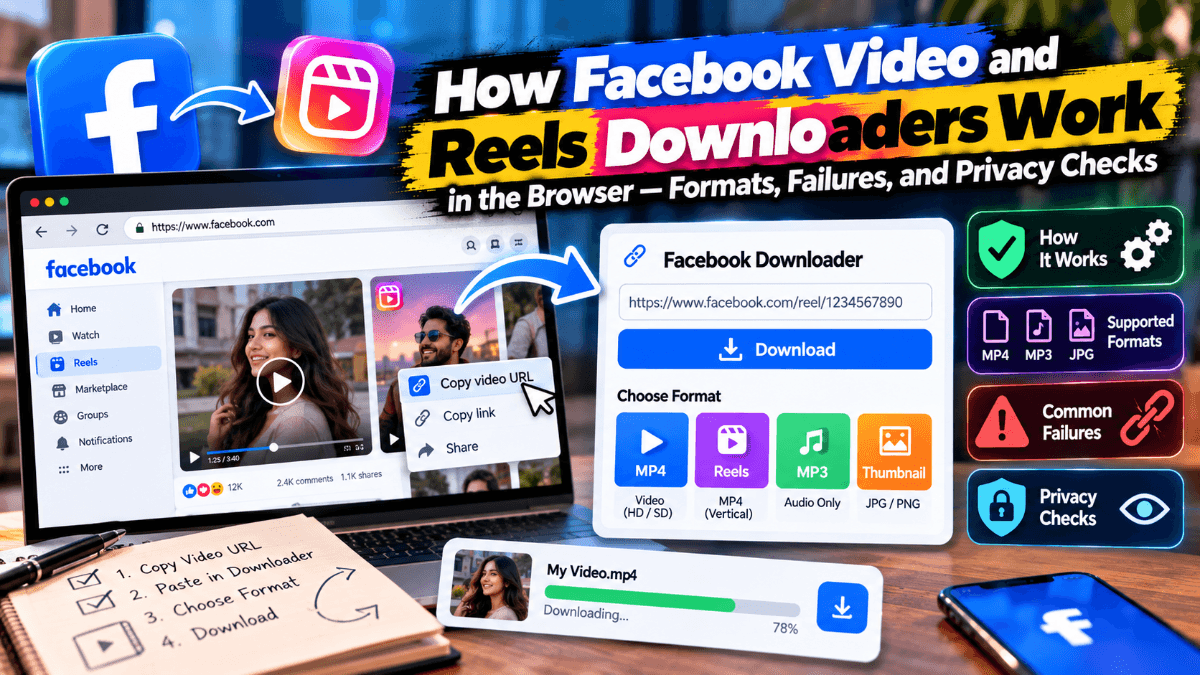
Browser-based Facebook video downloaders look simple from the outside: paste a URL, click a button, get an MP4. Under the hood they sit at the intersection of URL parsing, HTML/JSON scraping, adaptive streaming formats, and CDN access rules that change often. For developers and power users, understanding that pipeline explains why some links work, why others fail with cryptic errors, and what you should verify before trusting a free tool with a public post URL.
This article is educational. It does not walk through bypassing private content, defeating Facebook login walls, or building a scraper that violates Meta’s terms. The focus is how public media typically becomes a downloadable file in the browser, where parse failures come from, and how to evaluate privacy and safety claims.
The user-facing flow (what the page is doing)
A typical free downloader follows a short path:
- Accept a Facebook post, Reel, Watch, Story, or fb.watch URL.
- Normalize and validate that URL.
- Fetch publicly available page or media metadata (server-side or via a backend worker—rarely purely client-side against Facebook, because of CORS and anti-bot controls).
- Locate playable media URLs (progressive MP4 and/or adaptive streams).
- Present quality / format choices (for example SD, HD, MP3).
- Either proxy the bytes through the downloader’s servers or hand the browser a direct media URL to save.
That last step matters for privacy and reliability: a tool that proxies video through its own servers can rewrite filenames and strip some query noise, but it also sees the media URL you requested. A tool that redirects you to a CDN URL may expose fewer of your bytes on its disk, but Facebook CDN links are often short-lived and signed.
Link formats you will actually see
Facebook does not give creators one neat “download this” permalink for every surface. Common shapes include:
- https://www.facebook.com/{page}/videos/{id}/ — classic video post URLs
- https://www.facebook.com/watch/?v={id} — Watch / video viewer URLs
- https://www.facebook.com/reel/{id} — Reels
- https://fb.watch/{shortcode} — short share links that redirect to a longer URL
- Story links that include story/owner identifiers and expire with the Story itself
- Share URLs that embed tracking query parameters (?mibextid=…, fbclid=…, and similar)
A robust downloader usually:
- Follows redirects from fb.watch short links
- Strips or ignores tracking query params that do not affect media identity
- Extracts a stable video or reel id when possible
- Rejects profile URLs, photo albums, and comment permalinks that do not point at media
If you paste a profile homepage or a “people also shared” card link, the parser has nothing useful to resolve. That is a user error more often than a "broken site."
What "finding the video" usually means
Public Facebook pages that play video almost always reference media through structured data in the HTML, embedded JSON blobs, or subsequent API-style responses the player uses. Historically, scrapers looked for patterns such as:
- og:video / Open Graph media tags
- Inline JSON with playable_url, browser_native_hd_url, browser_native_sd_url, or similar fields (names change)
- Adaptive manifests (HLS .m3u8 or DASH .mpd) plus segment lists
- Separate audio and video representations that must be muxed for a single file
Progressive MP4 URLs are the friendliest outcome: one GET (or a ranged GET) yields a file most phones and desktops can play. Adaptive streams are more fragile for “one click download” products because the tool must either:
- Pick a representation and download segments, then remux, or
- Find a progressive fallback Facebook still exposes for that asset
When a product offers HD vs SD, it is usually selecting among progressive alternatives or among adaptive rungs (for example roughly 720p vs 1080p when the source provides them). The tool cannot invent 1080p if the upload was 480p.
When a product offers MP3, it is not “converting Facebook to audio” in a magical sense. It extracts or transcodes the audio track from the fetched media—often via a server-side ffmpeg-style pipeline—then returns an audio file. That is why MP3 options matter for podcast-like listening and why they fail if the fetch never obtained a usable media URL in the first place.
Why downloads fail (the common failure modes)
1. Privacy boundary, not a bug
No-login downloaders only see what an anonymous browser can see. Friends-only posts, private profiles, and many group videos never expose media URLs without authenticated cookies. A correct failure here is “private / unavailable,” not a clever workaround. Tools that ask for your Facebook password to “fix” this are crossing a line you should not cross.
2. Expired or soft-deleted media
Stories expire. Posts get taken down. Live replays disappear. Cached Open Graph data on third-party servers can lag reality, so a tool may briefly show stale metadata and then fail at byte fetch time.
3. Short-lived or signed CDN URLs
Even when parsing succeeds, the media URL may include signatures and expiry. If the downloader shows you a “right-click save” CDN link minutes later, it may 403. Proxy-based downloaders hide that complexity by fetching promptly server-side.
4. Regional and bot defenses
Facebook rate-limits and challenges automated traffic. Data-center IPs get blocked more often than residential ones. From a user’s perspective this looks like intermittent “couldn’t fetch video” errors. Retries, backoff, and fresh URL copies sometimes help; sometimes the operator’s fetch infrastructure is simply blocked.
5. Wrong URL shape
Comment links, share-sheet previews, marketplace listings, and “watch together” surfaces often do not carry a clean public video id. The fix is almost always: open the media, use Share → Copy link, paste that.
6. Partial downloads and container issues
Mobile in-app browsers cancel transfers when the WebView sleeps. Users then report “file won’t play.” The underlying issue is an incomplete MP4 (missing moov atom or truncated mdat), not mysterious DRM on public clips.
7. Audio/video desync after remux
If a tool downloads separate adaptive tracks and remuxes poorly, players may show video without sound or drifting A/V. That is an implementation quality issue on the downloader side.
A simplified mental model (pseudocode)
You can think of the happy path like this—illustrative, not a recipe for production scraping:
``text
input ← normalize(facebook_url) # follow redirects, strip trackers
assert is_plausible_facebook_media(input)
doc ← fetch_public(input) # fails if login wall / private
meta ← extract_media_candidates(doc) # og tags, JSON fields, manifests
pick ← select(meta, preference=HD|SD|AUDIO)
if pick is progressive_mp4:
stream ← download(pick.url) # often via proxy; URL may be signed
return save_as("video.mp4", stream)
if pick is adaptive:
segments ← collect_segments(pick.manifest, quality)
file ← remux(segments) # e.g. to MP4
return file
if preference is MP3:
media ← ensure_av_file(pick)
return extract_audio(media, "mp3")
`
Every fetch_public and extract_media_candidates step is where real services spend most of their maintenance time, because Facebook’s markup and player payloads change.
Privacy checks worth doing before you trust a free tool
Free downloaders are convenient and also a common phishing and malware vector. Before you paste a link—or especially before you type anything account-related—verify:
1. No Facebook login or password fields
Public-video tools should not need your credentials. Password prompts are a hard stop.
2. HTTPS everywhere, including the final download hop
Look for a valid certificate on the site you typed, not on a lookalike domain from a search-ad redirect chain.
3. Minimal permissions narrative
Browser extensions that demand access to all sites “to download Facebook video” are a larger trust decision than a paste-URL website. Prefer the narrower surface when you can.
4. Clear about public-only scope
Honest products state they cannot download private videos. Marketing that promises “any video, even private” without login is either lying or planning to harvest credentials.
5. Sensible download behavior
One click should not force a Windows installer, a browser hijacker, or a cascade of “your flash is outdated” pages. Prefer tools that yield an MP4/MP3 in the browser download UI.
6. Readable privacy policy
You are sending a URL that may reveal what you watch. Understand whether the operator logs requests, how long logs live, and whether URLs are shared with third parties for ads.
7. Independent reputation signals
Check recent user reports for malware complaints. Skip invented traffic metrics and “DR” screenshots in outreach emails; they are easy to fake and irrelevant to whether the fetch pipeline is safe.
For a concrete example of the paste-link, no-install, no-Facebook-login pattern aimed at public videos, Reels, Stories, and Watch links, see SaveFBS (https://savefbs.com/). Treat it—and any peer tool—as something you still evaluate with the checks above, not as a blank check.
What users should verify on each download
Even with a tool you generally trust, run a short per-file checklist:
- Confirm the Facebook URL opens without logging in (private window test).
- Prefer Share → Copy link over manually truncated address-bar strings on mobile.
- Pick quality consciously: HD for archival / editing when available; SD for quick offline viewing; MP3 when you only need audio.
- Open the file locally before archiving; a 200 OK HTML error page renamed to .mp4` is a classic failure artifact.
- Do not re-upload copyrighted material as your own. Personal offline use and public redistribution are different questions.
Design takeaways for builders (high level)
If you build developer tooling adjacent to this space—media utilities, browser extensions for *your own* content, or archival workflows for assets you own—the durable lessons are:
- Separate URL normalization from media resolution; most user errors happen in the first stage.
- Treat CDN URLs as capabilities with TTL, not permanent identifiers.
- Prefer progressive downloads when you need a single portable file; keep adaptive pipelines for players.
- Fail closed on private content; do not ask users for social passwords.
- Expect markup drift; invest in monitoring rather than one-off regex heroics.
- Be explicit in UX about public-only limits, Story expiry, and post-Live replay timing.
None of that requires romanticizing scrapers. It requires respecting platform boundaries while explaining why the “simple” download button is a moving target.
Conclusion
Browser Facebook video and Reels downloaders succeed when they can resolve a public URL into a still-valid media resource—often a progressive MP4 or a remuxed adaptive stream—and deliver it without demanding your account password. They fail when the content is private, expired, mis-linked, or behind bot defenses, or when signed CDN URLs outlive the UI that displayed them.
If you use these tools, optimize for privacy hygiene first: no Facebook credentials, careful domain checks, and honest public-only expectations. If you study them as a technologist, watch the pipeline—normalize, fetch, extract, select, download/remux—and you will understand both the convenient MP4 on disk and the opaque error that shows up the next week after a player markup change.