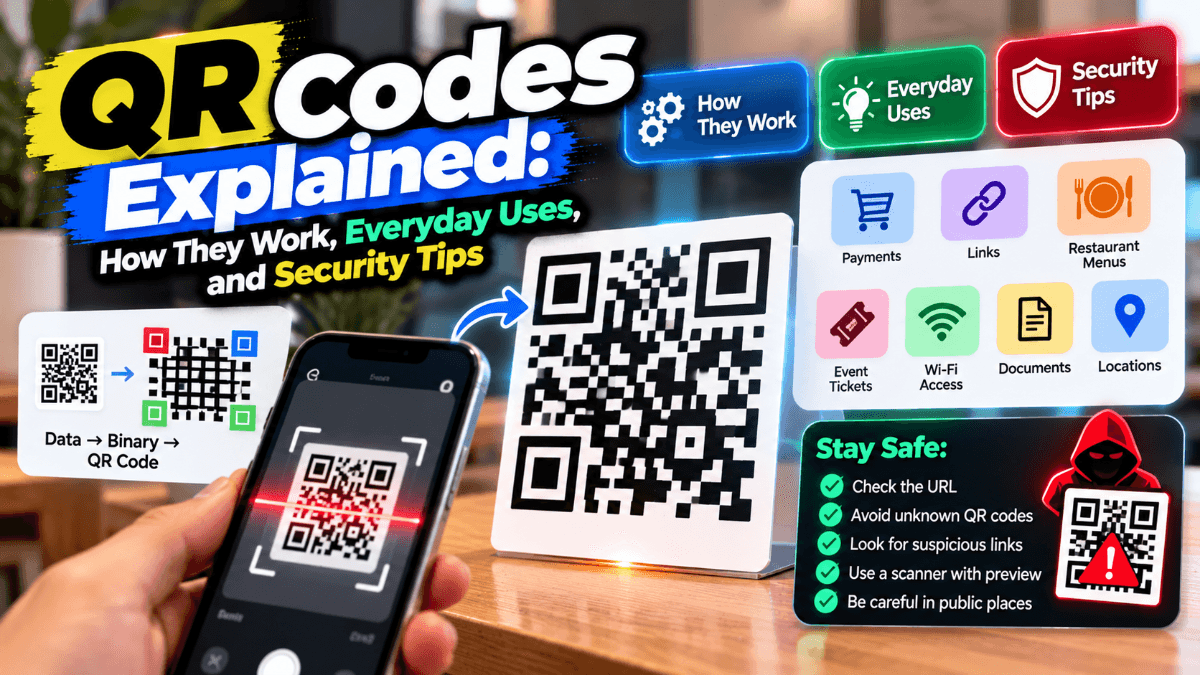
QR codes have become a familiar part of everyday life. People scan them to view restaurant menus, make digital payments, visit websites, save contact information, connect to Wi-Fi networks, and access event details. Businesses use them to make information easier to access without requiring customers to type long URLs or manually enter data.
Although QR codes are simple to use, understanding how they work—and how to scan them safely—can help people get more value from the technology while reducing potential security risks.
What Is a QR Code?
A QR code, short for Quick Response code, is a two-dimensional barcode that stores information in a pattern of black and white squares. Unlike traditional barcodes, which typically store information in one direction, QR codes encode data horizontally and vertically. This allows them to hold more information in a compact space.
A QR code may contain plain text, a website address, contact details, Wi-Fi connection information, an email address, a phone number, or payment-related data. When a compatible camera or QR scanning application reads the pattern, the device decodes the information and presents an appropriate action.
For example, scanning a QR code on a restaurant table might open a digital menu. A code on a business card might offer to save a person's contact details. A code displayed by a merchant could help a customer access a digital payment interface.
However, not every QR code opens a website. Its behavior depends on the information encoded within it and the software used to interpret that information.
How Do QR Codes Work?
The process of using a QR code involves three main stages: encoding information, scanning the pattern, and interpreting the decoded data.
1. Information Is Encoded
A QR code generator converts information into a structured pattern of dark and light modules. The information might be a URL, a short message, contact details, or another supported data format.
QR codes also include structural elements that help scanners identify and interpret them. The large square patterns near three corners help a scanner determine the code's orientation and position. Other patterns and encoded information assist with alignment, data reading, and error correction.
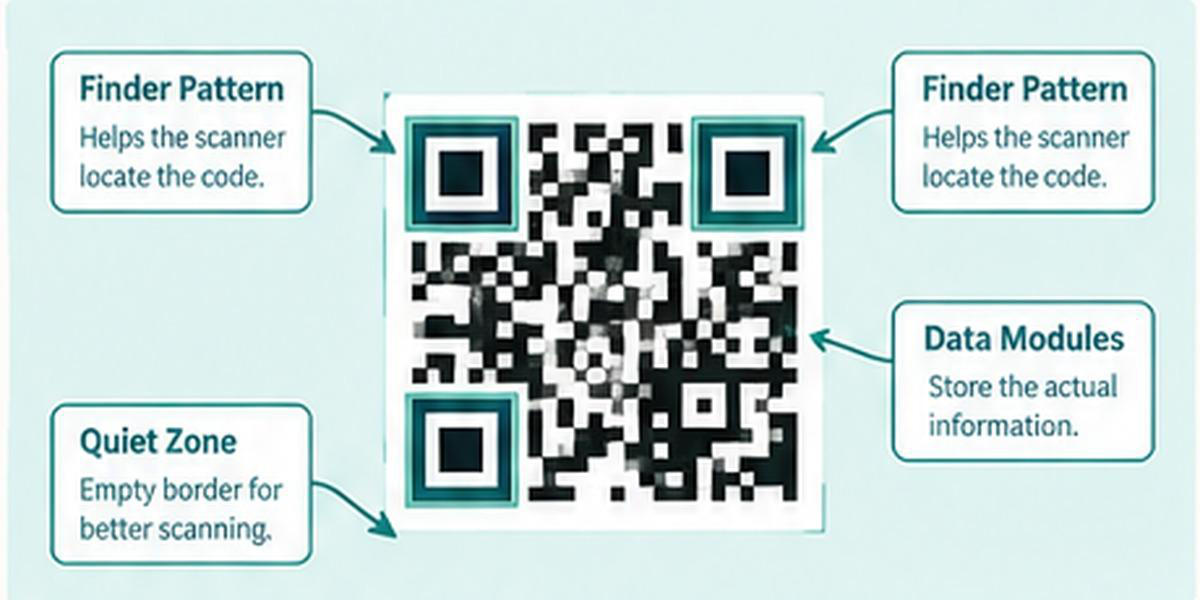
2. A Camera or Scanner Reads the Code
When a user points a smartphone camera or QR scanner at the code, the software detects the pattern and analyzes its structure. It then decodes the modules to recover the stored information.
QR codes include error-correction capabilities, which can help a scanner recover data even if part of the code is damaged or obscured. The amount of recoverable information depends on the code's error-correction level and the extent of the damage.
3. The Device Interprets the Information
After decoding, the device determines what kind of information it has received. Depending on the content and the device's software, it might display text, offer to open a website, prepare an email, show contact information, or provide a prompt to connect to a network.
The user usually needs to confirm the action before the device opens a website or performs another operation. This confirmation is important because decoding a QR code does not automatically establish that its contents are trustworthy.
Common Everyday Uses of QR Codes
QR codes are useful wherever people need to access information quickly. Their applications continue to expand across consumer services, business operations, education, and public spaces.
1. Websites and Digital Content
Businesses place QR codes on posters, product packaging, brochures, advertisements, and printed materials to direct people to relevant web pages.
Instead of typing a long web address, a customer can scan the code and review a product, access instructions, register for an event, or read additional information.
The destination should be relevant to the material displaying the code. Businesses should also check that the destination remains available and that the printed code is easy to scan.
2. Restaurant Menus and Hospitality
Restaurants, cafés, hotels, and other hospitality businesses use QR codes to provide digital menus, service information, booking details, and guest resources.
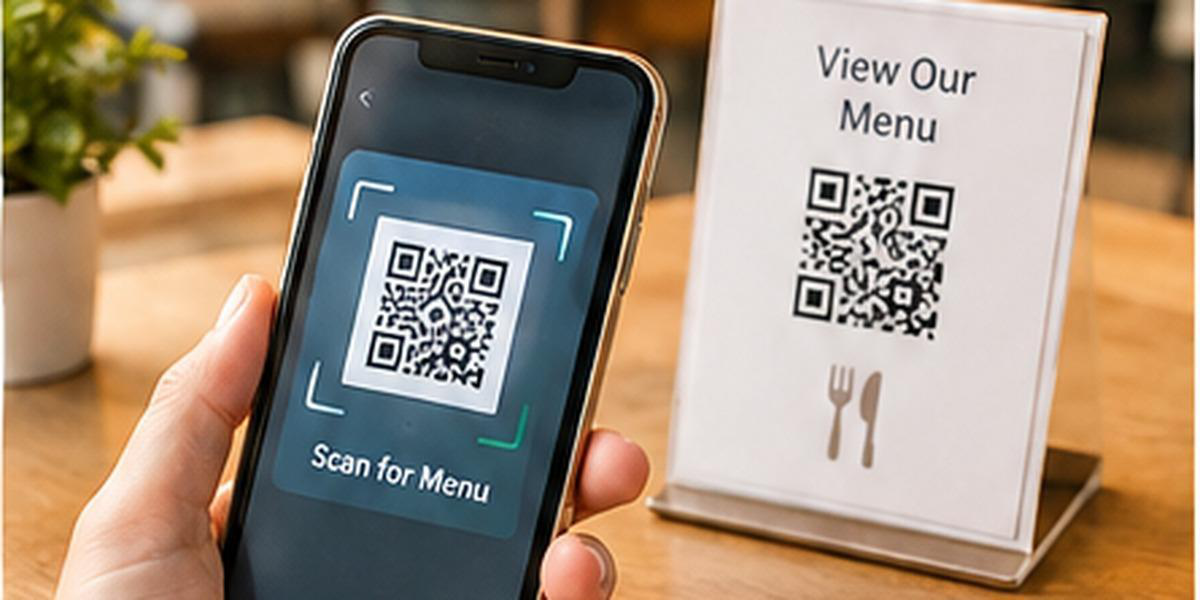
A customer can scan a code at a table to view menu items and prices on a phone. Hotels may use codes to provide information about amenities, room services, or local attractions.
Digital menus can be updated without reprinting every physical copy. However, businesses should maintain accessible alternatives for customers who cannot or prefer not to use a smartphone.
3. Digital Payments
QR codes are widely used in digital payment systems. Depending on the payment network and implementation, a code may contain merchant details, payment information, or data that helps a payment application prepare a transaction.
Customers should verify the recipient's name and the amount displayed in their payment application before authorizing a transaction. A QR code itself is not proof that the person or business requesting payment is legitimate.
4. Contact Information and Networking
A QR code can encode a person's name, phone number, email address, organization, and other contact fields in a format supported by contact applications.
This makes it easier to exchange business information at meetings, conferences, exhibitions, and networking events. People can also use QR codes on business cards, portfolios, or professional displays.
Before saving or sharing contact details, users should review the information shown by their device.
5. Wi-Fi Access
Some QR codes contain Wi-Fi network information, allowing compatible devices to offer a convenient way to connect without manually entering a network name and password.
This can be useful in homes, offices, cafés, hotels, and other guest environments. Because a Wi-Fi QR code may contain sensitive connection information, it should be displayed only where the intended users can access it.
6. Education and Events
Teachers can use QR codes to direct students to learning resources, digital worksheets, videos, or supplementary reading. Event organizers can use them for schedules, registration details, venue information, and ticket verification.
The information behind a code should be checked before distribution. Organizers should also consider what happens if the destination changes or the internet connection is unavailable.
7. Product Information and Inventory
Manufacturers and retailers can use QR codes to connect physical products with digital instructions, specifications, care information, or support resources.
In inventory environments, QR codes can help identify items and connect them with records in a management system. The value of the code depends on the accuracy and security of the system that processes the information.
Static and Dynamic QR Codes: What's the Difference?
QR codes are often described as static or dynamic. The distinction matters when choosing a code for a personal project or business campaign.
Static QR codes store the destination or other data directly in the code. If the encoded website address changes, a new QR code generally needs to be generated and distributed. Static codes can be suitable for information that is unlikely to change, such as plain text or a fixed contact record.
Dynamic QR codes commonly encode a redirect address managed by a service. The service can allow the destination to be changed without replacing the printed code. Depending on the provider and plan, dynamic QR services may also offer scan analytics, campaign management, or other features.
Dynamic codes are not inherently safer than static codes. Their security depends on the destination, the service managing the redirect, account protection, and how the code is used. Users should inspect the final destination when possible, and businesses should maintain control over the accounts and links associated with their codes.
Are QR Codes Safe to Scan?
QR codes are a convenient way to share information, but they can also be misused. A QR code is simply a way to encode data; it does not guarantee that the data is safe.
One risk is QR-code phishing, sometimes called quishing. An attacker may create a code that directs users to a fraudulent website designed to steal passwords, payment information, or other sensitive data.
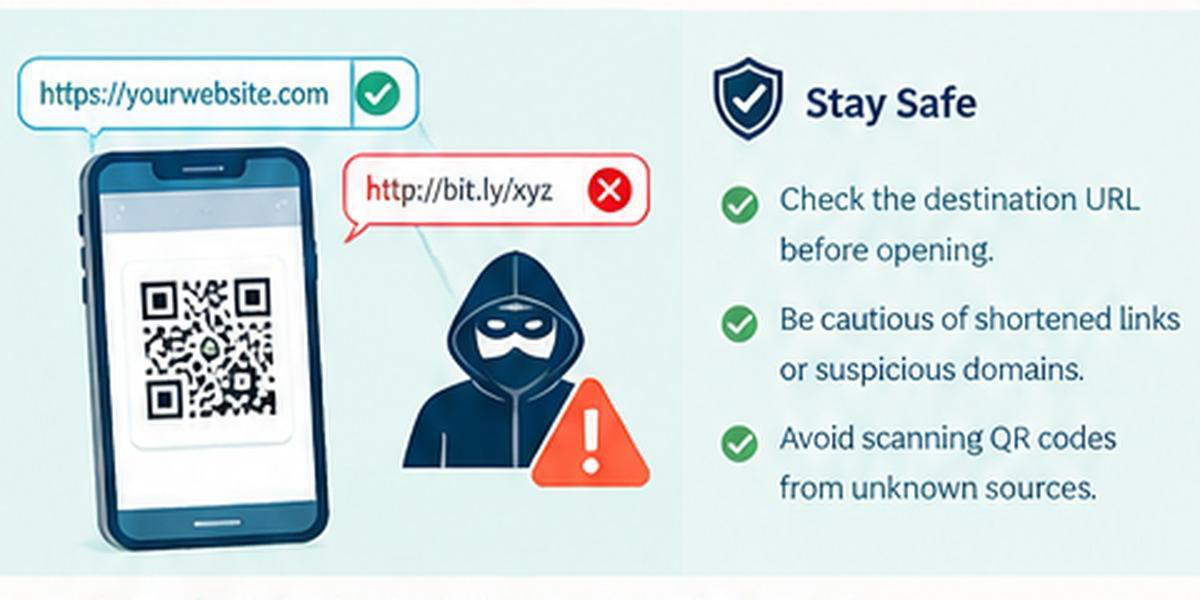
A malicious code may appear on a poster, sticker, email, package, parking notice, or payment request. Attackers may also place a replacement sticker over a legitimate QR code so that users scan a different destination from the one intended by the business.
Potential risks include:
Fake login pages: A code may open a website that imitates a trusted service and requests account credentials.
Fraudulent payment requests: A code may direct a payment to an unintended recipient.
Misleading downloads: A destination may encourage users to download an unsafe application or file.
Unwanted actions: Encoded information may prompt a device to prepare an email, call a number, or connect to a network.
Privacy concerns: Some destinations may collect information about visitors or their devices, depending on the website and its tracking practices.
Scanning a QR code does not normally mean that a device will automatically be compromised. The risk often arises from what the user does after scanning, the destination's behavior, or vulnerabilities in the software involved. Keeping devices and applications updated and reviewing prompts before accepting them can reduce risk.
Seven Practical Tips for Scanning QR Codes Safely
1. Check Where the Code Comes From
Prefer QR codes displayed through trusted sources, such as official business materials, known service providers, or verified event communications.
Be cautious when a code appears unexpectedly or is attached to a message that creates urgency, threatens a penalty, or promises an unusually attractive reward.
2. Preview the Destination Before Opening It
Many smartphone cameras and QR scanning applications display a website address before opening it. Review the address carefully rather than tapping automatically.
Look for misspellings, unexpected domain names, unusual subdomains, and misleading words. A familiar brand name appearing somewhere in a URL does not necessarily mean the website belongs to that brand.
3. Do Not Trust a Website Just Because It Uses HTTPS
HTTPS helps encrypt the connection between a browser and a website, but it does not prove that the website is legitimate. Fraudulent websites can also use HTTPS.
Consider the complete domain and the context in which the code was presented. If a code claims to open a bank, payment service, or other sensitive account, consider navigating to the service through its official application or a known address instead.
4. Verify Payment Details
Before confirming a payment, check the recipient, amount, and any other transaction details displayed in the payment application.
Do not rely only on a merchant's printed sign or a QR code's appearance. If the displayed recipient does not match the intended person or business, cancel the transaction and verify the request independently.
5. Avoid Unexpected Downloads and Permissions
A QR destination may ask you to download an application, install a configuration profile, grant permissions, or provide sensitive information.
Pause before accepting. Install applications through trusted app stores or official channels, and grant only permissions that are necessary for the intended purpose.
6. Inspect Physical Codes for Tampering
When scanning a code on a public poster, parking meter, restaurant table, or payment display, check whether a sticker appears to have been placed over the original code.
If anything looks suspicious, ask the business or organization to confirm the correct destination. Do not assume a code is genuine simply because it appears in a familiar location.
7. Use a Safer Alternative When in Doubt
If a code seems suspicious, do not open it. Visit the organization's official website or contact it using a trusted phone number or communication channel.
For workplace investigations, security teams may need to preserve a suspicious code and analyze its contents in a controlled environment. Ordinary users should not interact with a potentially malicious destination simply to discover what it does.
How to Create a QR Code for Personal or Business Use
Creating a QR code is generally straightforward. The exact steps depend on the type of information you want to share and the features offered by the generator.
Step 1: Choose the information. Decide whether the code should contain a website URL, plain text, contact information, Wi-Fi details, or another supported data type.
Step 2: Enter and verify the content. Check the destination address, spelling, contact fields, or other information before generating the code. For URLs, make sure the destination is correct and uses the intended domain.
Step 3: Customize the design if needed. Some generators allow changes to colors, dimensions, or other visual elements. If you add a logo or use custom colors, preserve sufficient contrast and avoid covering important parts of the code.
Step 4: Test the code. Scan it with more than one compatible device or application when practical. Confirm that the encoded information is correct and that the intended destination works.
Step 5: Check print quality. If the code will appear on packaging, signage, business cards, or posters, print a test copy at the intended size. Make sure it has sufficient contrast, clear surrounding space, and no distortion.
Step 6: Review the destination over time. For printed materials, confirm periodically that the linked page or service remains available. If the code points to sensitive information or a business service, establish who is responsible for maintaining it.
A QR code should be treated as part of the user experience, not simply as a graphic. A technically valid code is only useful when it works reliably and takes people to the right information.
Common QR Code Mistakes to Avoid
Even when the information is legitimate, a poorly designed or maintained QR code may create problems.
Making the code too small: If the modules cannot be distinguished by the scanner, users may struggle to scan it.
Using insufficient contrast: Very similar foreground and background colors can reduce readability.
Placing a logo over too much of the code: Excessive obstruction can prevent successful decoding.
Skipping real-device testing: A code that works on the creator's screen may fail after printing or resizing.
Leaving outdated destinations in place: Broken pages or redirected domains can frustrate users and create security concerns.
Ignoring accessibility: Important information should not be available only through a QR code. Where practical, provide a readable URL or another accessible option.
Assuming every scan is safe: A working code can still direct users to an untrustworthy destination.
Testing the code in its actual environment—on the printed material, display, or packaging where it will appear—is one of the simplest ways to catch problems before users encounter them.
The Future of QR Codes
QR codes continue to connect physical objects with digital services. They are used in payments, retail, hospitality, logistics, education, events, and product information systems. Their flexibility makes them useful in settings where people need fast access to digital content without installing a dedicated application for every interaction.
Future developments may involve richer product information, better integration with business systems, improved campaign management, and more consistent ways to verify the origin of digital content. Their usefulness will still depend on thoughtful implementation, reliable destinations, accessible alternatives, and security awareness.
Businesses that deploy QR codes should consider both convenience and trust. Clear instructions, regular testing, sensible data practices, and a way to report suspicious codes can help protect customers while maintaining a smooth experience.
Conclusion
QR codes provide a practical bridge between the physical and digital worlds. They can simplify payments, share contact information, open digital menus, distribute educational resources, and make business processes more efficient.
Using them responsibly requires more than pointing a camera at a pattern. Users should review destinations, verify payments, avoid unexpected downloads, and be alert to altered or suspicious codes. Businesses should test their codes, maintain their destinations, and provide accessible alternatives.
With a basic understanding of how QR codes work and a few sensible precautions, people can use this technology more confidently while reducing avoidable risks
About the Author
Somashekar writes about QR-code technology, practical digital tools, and online safety at QR Code
Tools. Explore the free tools and resources at https://www.qrcodetoolsonline.com/.