Most "get tweets with Python" tutorials stop at printing one page of JSON. That is fine for a demo, but it falls apart the moment you want to run the script every ten minutes: you fetch the same tweets again, you lose everything on the first HTTP 429, and you have nowhere to ask "what were the most engaging mentions this week?"
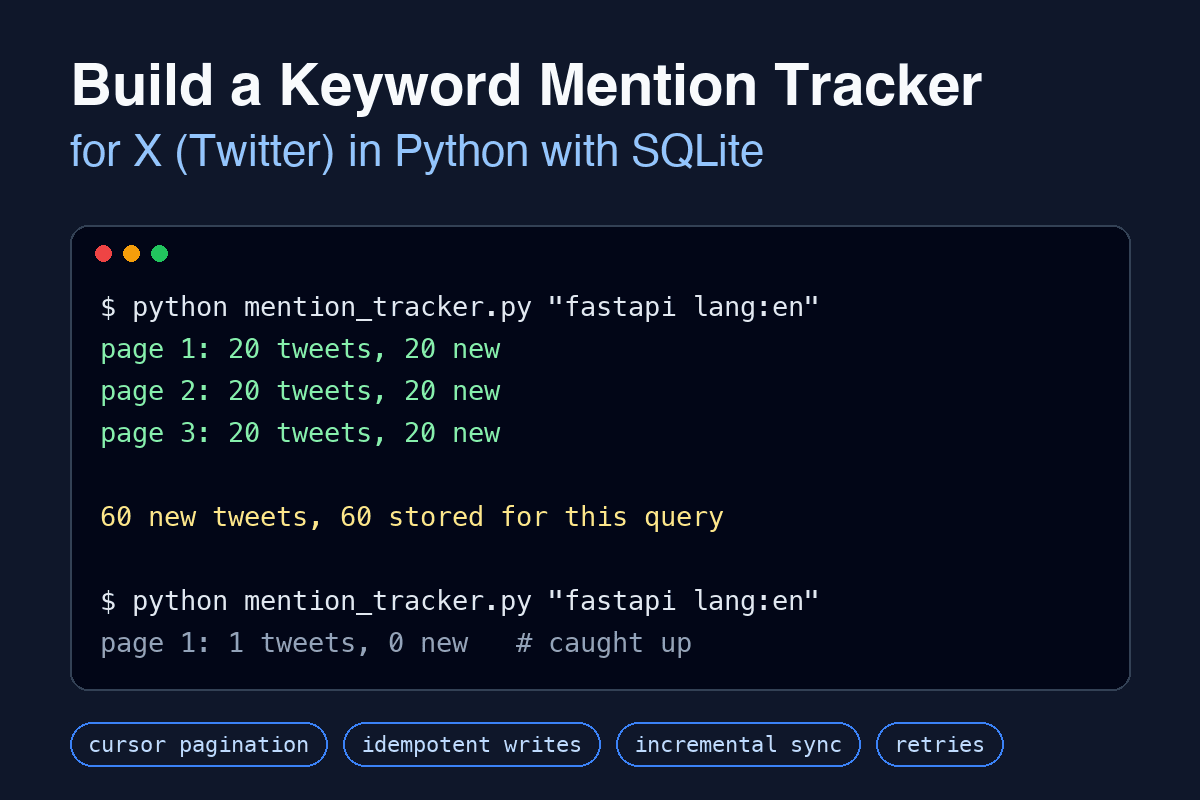
In this tutorial we will build a small but complete mention tracker. It searches public posts on X for a keyword, follows cursor pagination, stores results in SQLite without duplicates, and on every later run only asks for posts that are newer than what it already has. The whole thing is about 120 lines of Python with one third-party dependency.
What We Are Building
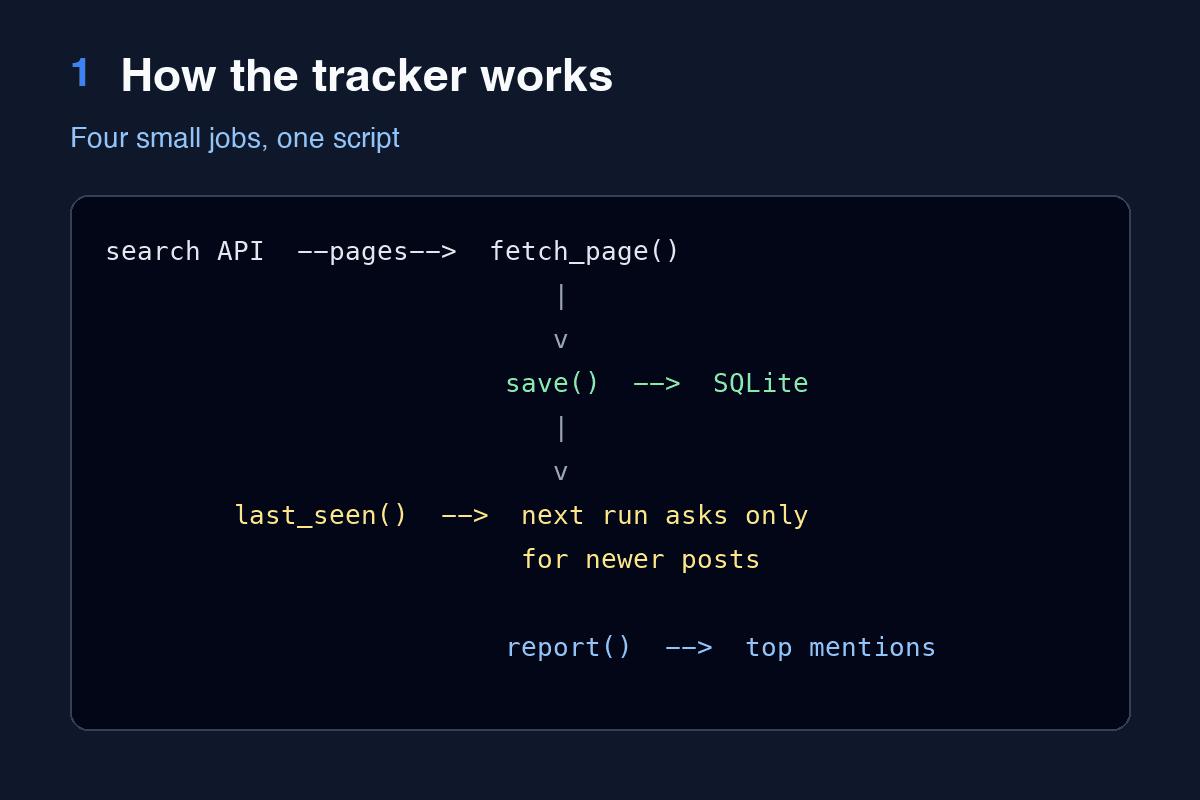
The tracker has four jobs:
Fetch pages of search results, retrying on temporary errors.
Store each post once, keyed by its ID.
Resume from the newest stored post, so scheduled runs are cheap.
Report the top mentions by a simple engagement score.
For the data source we use TwitterAPI.io, a REST API for public X data that works with a plain API key in a header. There is no OAuth flow to implement, which keeps the example focused on the parts that are reusable with any paginated API: cursors, idempotent writes and incremental sync.
You need Python 3.9 or newer and the requests package:
pip install requests
export TWITTERAPI_KEY="your-key"
Keep the key in an environment variable. Do not paste it into the source file; scripts like this tend to end up in a public repository.
Understanding the Search Endpoint
The advanced search endpoint is a single GET request:
GET https://api.twitterapi.io/twitter/tweet/advanced_search
    ?query=fastapi lang:en -filter:retweets
    &queryType=Latest
    &cursor=
Three details matter for our design:
queryaccepts the same operators as the search box on X:from:,lang:,-filter:retweets, quoted phrases,OR, and so on.queryType=Latestreturns posts in reverse chronological order. This ordering is what makes incremental sync possible.The response contains
tweets(up to about 20 per page), a booleanhas_next_page, and anext_cursorstring that you send back to get the following page. The first page uses an empty cursor.
Each tweet object carries the fields we care about: id, text, url, createdAt, the counters likeCount, retweetCount and replyCount, and a nested author object with userName and followers.
Designing the SQLite Schema
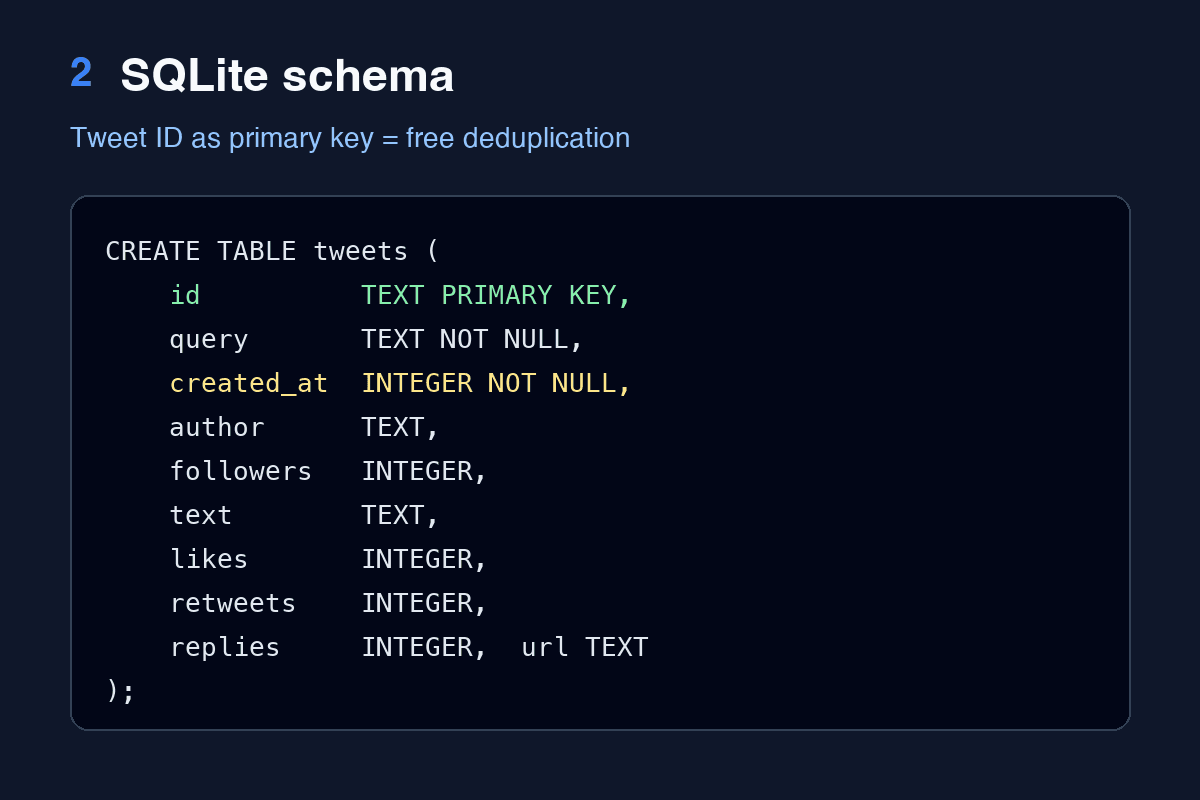
SQLite ships with Python, needs no server, and handles millions of rows comfortably. One table is enough:
import sqlite3

DB_PATH = "mentions.db"


def open_db(path=DB_PATH):
    db = sqlite3.connect(path)
    db.executescript(
        """
        CREATE TABLE IF NOT EXISTS tweets (
            id          TEXT PRIMARY KEY,
            query       TEXT NOT NULL,
            created_at  INTEGER NOT NULL,
            author      TEXT,
            followers   INTEGER,
            text        TEXT,
            likes       INTEGER,
            retweets    INTEGER,
            replies     INTEGER,
            url         TEXT
        );
        CREATE INDEX IF NOT EXISTS idx_tweets_query_time ON tweets (query, created_at);
        """
    )
    return db
Two choices here are deliberate.
The tweet ID is the primary key, stored as text. Tweet IDs are 64-bit integers that overflow JavaScript numbers, so the API returns them as strings. Keeping them as text avoids any conversion surprises. Making the ID the primary key gives us deduplication for free, as we will see below.
created_at is stored as a Unix timestamp. The API returns dates like Mon Oct 12 17:52:39 +0000 2026. That format does not sort correctly as a string, so we convert it once on the way in:
import calendar
import time


def parse_time(value):
    """'Tue Oct 13 01:02:03 +0000 2026' -> unix seconds (UTC)."""
    return calendar.timegm(time.strptime(value, "%a %b %d %H:%M:%S +0000 %Y"))
Note the use of calendar.timegm instead of time.mktime. mktime interprets the struct as local time, which silently shifts every timestamp by your UTC offset. This is one of the most common bugs in scripts that handle tweet dates.
Fetching a Page with Retries
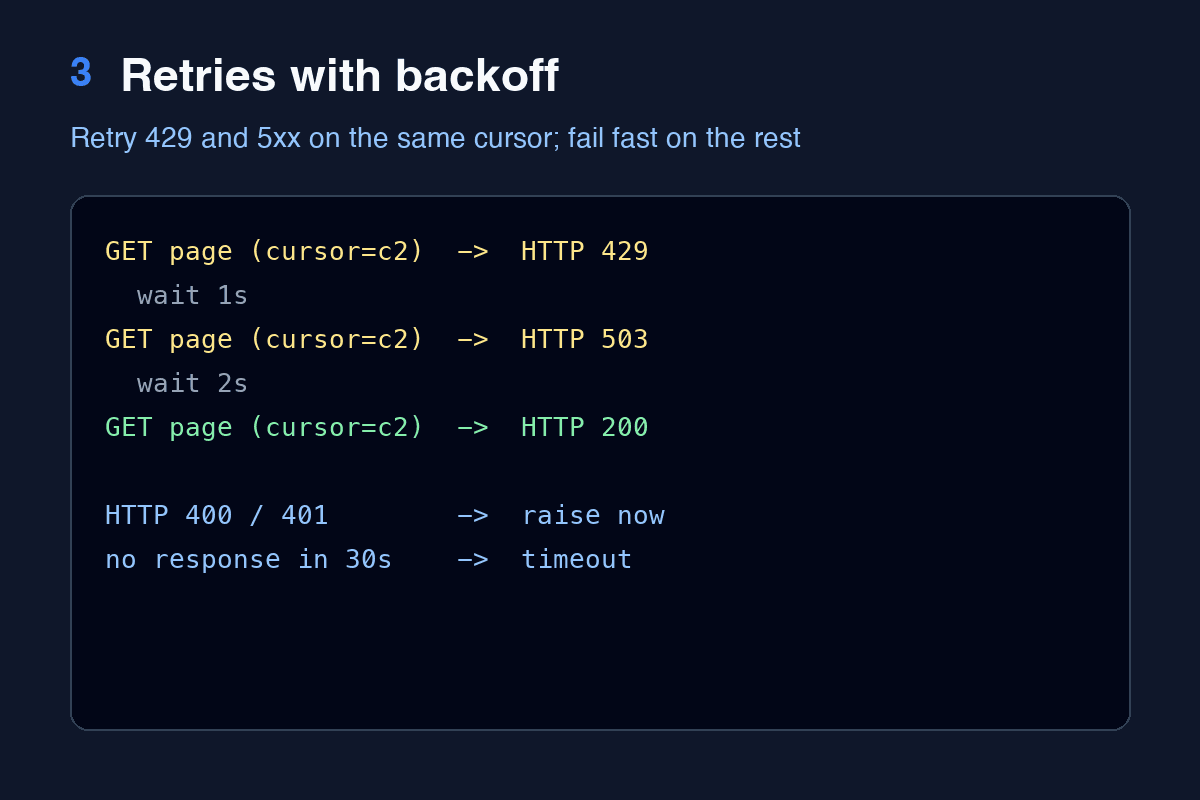
Network calls fail. A tracker that runs unattended has to tell the difference between "try again in a moment" and "this request is wrong":
import sys

import requests

API_URL = "https://api.twitterapi.io/twitter/tweet/advanced_search"


def fetch_page(session, query, cursor="", retries=4):
    """Return one page of results. Retries on 429 and 5xx with exponential backoff."""
    for attempt in range(retries):
        resp = session.get(
            API_URL,
            params={"query": query, "queryType": "Latest", "cursor": cursor},
            timeout=30,
        )
        if resp.status_code == 200:
            return resp.json()
        if resp.status_code in (429, 500, 502, 503, 504):
            wait = 2 ** attempt
            print(f"  HTTP {resp.status_code}, retrying in {wait}s", file=sys.stderr)
            time.sleep(wait)
            continue
        resp.raise_for_status()
    raise RuntimeError(f"gave up after {retries} attempts")
A 429 (rate limited) or a 5xx (server trouble) is temporary, so we wait 1, 2, 4, then 8 seconds and retry the same cursor. Anything else, such as a 400 for a malformed query or a 401 for a bad key, raises immediately, because retrying will never fix it.
Always pass a timeout. Without it, requests can wait forever on a stalled connection, and a cron job that never exits is worse than one that fails.
Saving Without Duplicates
Because the ID is the primary key, INSERT OR IGNORE skips rows we already have. total_changes tells us how many rows were really inserted, which we will need in a moment:
def save(db, query, tweets):
    rows = [
        (
            t["id"],
            query,
            parse_time(t["createdAt"]),
            (t.get("author") or {}).get("userName"),
            (t.get("author") or {}).get("followers"),
            t.get("text"),
            t.get("likeCount", 0),
            t.get("retweetCount", 0),
            t.get("replyCount", 0),
            t.get("url"),
        )
        for t in tweets
    ]
    before = db.total_changes
    db.executemany("INSERT OR IGNORE INTO tweets VALUES (?,?,?,?,?,?,?,?,?,?)", rows)
    db.commit()
    return db.total_changes - before
This makes the write idempotent: running the same page through save twice leaves the database unchanged. Idempotent writes are what let us be relaxed about overlap everywhere else in the program.
We commit after every page. If the script crashes on page 7, pages 1 to 6 are already safe on disk.
Incremental Sync: Only Ask for What Is New
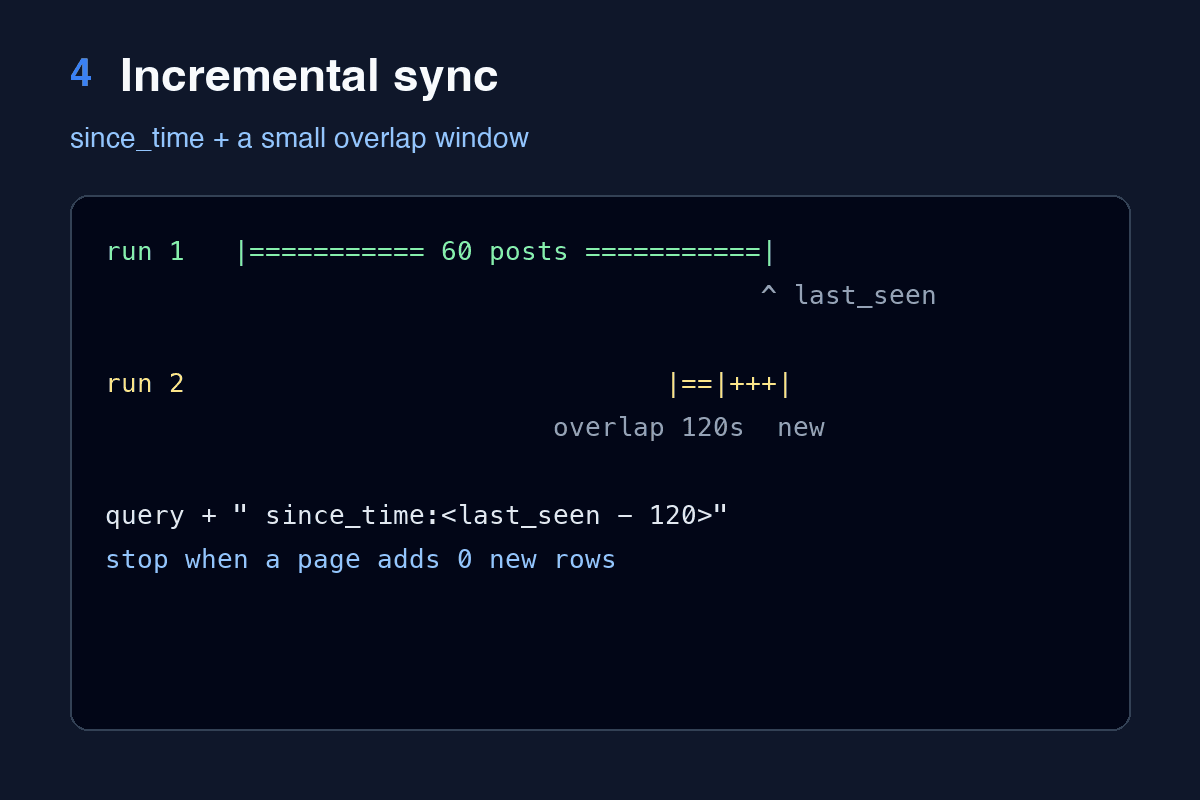
The first run walks backwards through recent results. Every later run should fetch only posts created since the last one we stored. The search syntax supports a since_time: operator that takes a Unix timestamp, so we append it to the query:
import os

MAX_PAGES = 10          # safety cap per run
OVERLAP_SECONDS = 120   # re-read a small window so nothing is missed between runs


def last_seen(db, query):
    row = db.execute("SELECT MAX(created_at) FROM tweets WHERE query = ?", (query,)).fetchone()
    return row[0]


def run(query):
    db = open_db()
    since = last_seen(db, query)
    full_query = f"{query} since_time:{since - OVERLAP_SECONDS}" if since else query

    session = requests.Session()
    session.headers["X-API-Key"] = os.environ["TWITTERAPI_KEY"]

    cursor, new_total = "", 0
    for page in range(1, MAX_PAGES + 1):
        data = fetch_page(session, full_query, cursor)
        tweets = data.get("tweets", [])
        added = save(db, query, tweets)
        new_total += added
        print(f"page {page}: {len(tweets)} tweets, {added} new")
        if not tweets or not data.get("has_next_page"):
            break
        if since and added == 0:
            break  # the whole page was already stored: we have caught up
        cursor = data["next_cursor"]
    return db, new_total
There are three stop conditions, and each one protects you from a different problem:
has_next_pageis false or the page is empty: the API has nothing more.A full page added zero rows on an incremental run: we have reached posts we already own, so further pages are wasted requests.
MAX_PAGES: a hard cap. A broad query likepythoncan return results indefinitely, and you do not want a typo to burn through your quota.
The two-minute overlap is intentional. Search indexes are not perfectly ordered at the leading edge; a post can appear a few seconds late. Re-reading a short window costs almost nothing because the write is idempotent, and it closes that gap.
Using a requests.Session reuses the TCP connection across pages, which noticeably shortens multi-page runs.
Reporting the Top Mentions
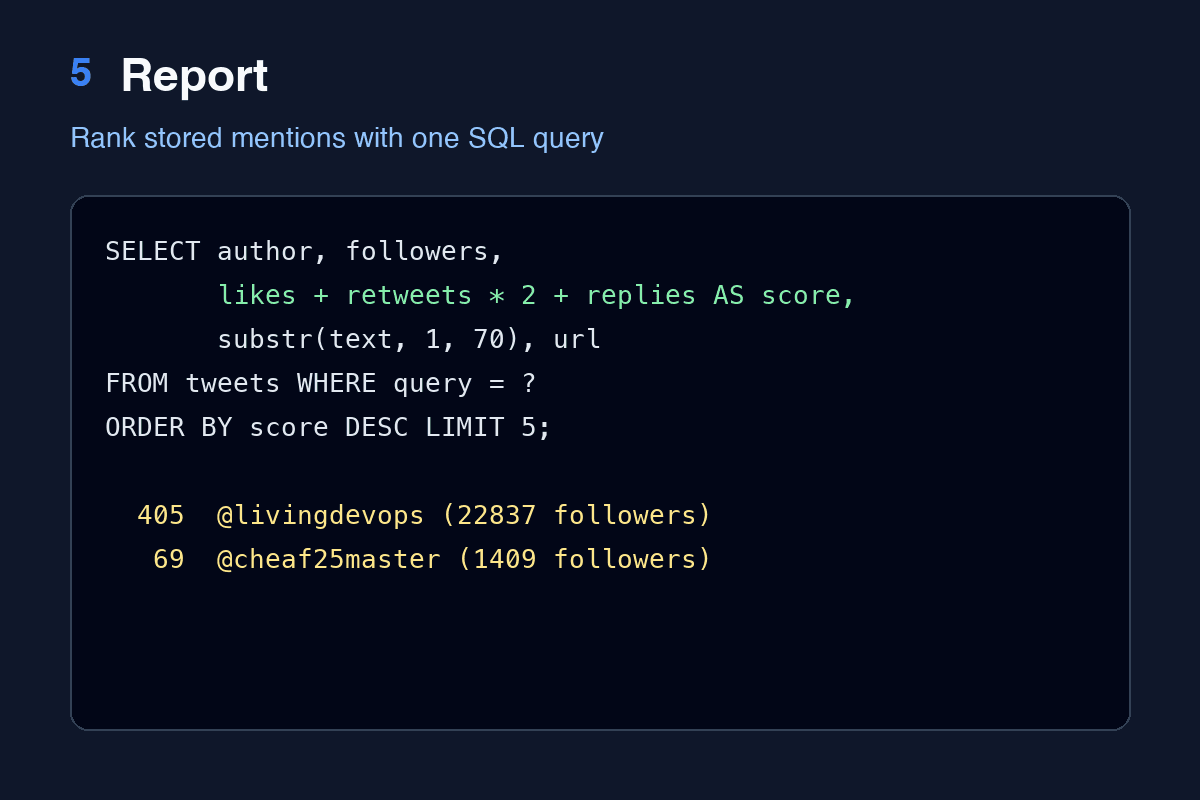
With the data in SQL, analysis is one query. Here we rank by a weighted score in which a repost counts double, since it pushes the post to a new audience:
def report(db, query, limit=5):
    print(f"\nTop {limit} stored mentions by engagement:")
    rows = db.execute(
        """
        SELECT author, followers, likes + retweets * 2 + replies AS score, substr(text, 1, 70), url
        FROM tweets WHERE query = ? ORDER BY score DESC LIMIT ?
        """,
        (query, limit),
    )
    for author, followers, score, text, url in rows:
        print(f"  {score:>5}  @{author} ({followers} followers): {text!r}\n         {url}")


if __name__ == "__main__":
    if len(sys.argv) != 2:
        sys.exit("usage: python mention_tracker.py \"<search query>\"")
    database, new = run(sys.argv[1])
    total = database.execute(
        "SELECT COUNT(*) FROM tweets WHERE query = ?", (sys.argv[1],)
    ).fetchone()[0]
    print(f"\n{new} new tweets, {total} stored for this query")
    report(database, sys.argv[1])
Running It
python mention_tracker.py "fastapi lang:en -filter:retweets"Here is a first run, with the page cap lowered to three while testing:
page 1: 20 tweets, 20 new
page 2: 20 tweets, 20 new
page 3: 20 tweets, 20 new

60 new tweets, 60 stored for this query

Top 3 stored mentions by engagement:
    405  @livingdevops (22837 followers): 'Dear DevOps engineers\n- Learn Python.\n- Build APIs with FastAPI.\n- Und'
         https://x.com/livingdevops/status/2109640216097304646
    ...
Running it again right away shows the incremental logic at work. The time filter returns only the newest post, which is already stored, so the run ends after a single request:
page 1: 1 tweets, 0 new

0 new tweets, 60 stored for this query
To run it on a schedule, add a crontab entry:
*/10 * * * * cd /path/to/tracker && TWITTERAPI_KEY=... python mention_tracker.py "fastapi lang:en -filter:retweets" >> tracker.log 2>&1Where to Take It Next
The stored engagement counters are a snapshot from the moment of fetching. Because of the overlap window, very recent posts are refreshed for a couple of minutes and then frozen. If you need accurate final numbers, add a second job that re-fetches posts older than 24 hours by ID and updates the counters with INSERT ... ON CONFLICT(id) DO UPDATE.
Other useful extensions:
Alerts: after
save, select new rows wherefollowersis above a threshold and send them to Slack or email.Several keywords: the
querycolumn already separates them; loop over a list of queries inrun.Trends:
SELECT date(created_at, 'unixepoch'), COUNT(*) FROM tweets GROUP BY 1gives daily mention volume, ready for a chart.
Key Takeaways
Treat the item ID as the primary key and use
INSERT OR IGNORE; idempotent writes remove a whole class of duplicate bugs.Retry only on 429 and 5xx, with exponential backoff, and always retry the same cursor.
Make scheduled runs incremental with a time filter plus a small overlap window, and stop as soon as a page contains nothing new.
Parse API dates as UTC with
calendar.timegm, nottime.mktime.Cap the number of pages per run so a broad query cannot run away.
The same four-part structure of fetch, store, resume and report works for any cursor-paginated API, not only for social data.