Working with digital data often involves handling spreadsheets, customer records, sales reports, contact lists, and other structured information. While different file formats are available for these tasks, CSV and Excel are two of the most commonly used options.
At first glance, both may appear similar because they can store information in rows and columns. However, they serve different purposes. Choosing the right format can make a difference in how information is stored, edited, shared, and processed.
Understanding the role of CSV and Excel can help individuals and businesses manage their data more effectively.
What Is a CSV File?
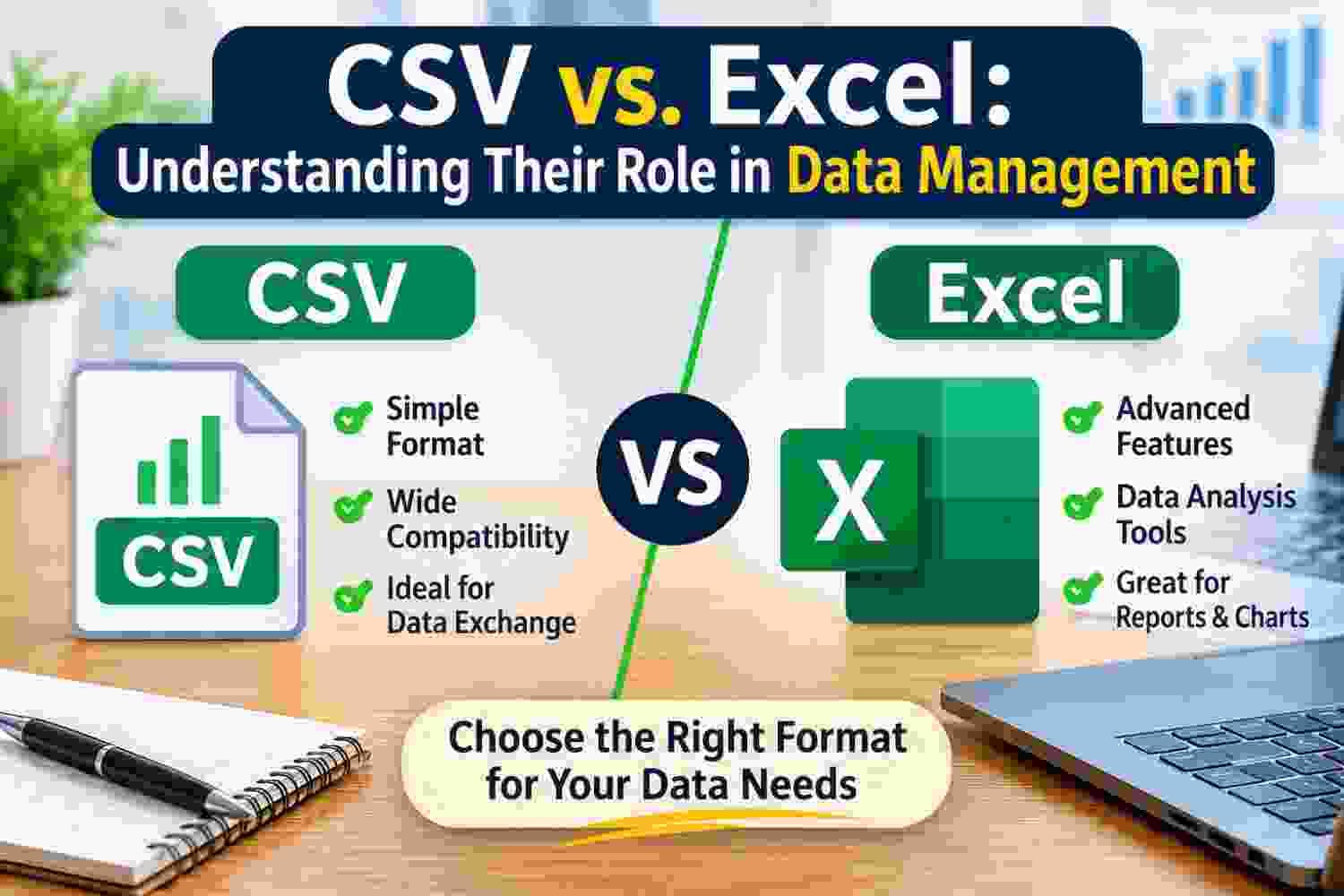
CSV stands for Comma-Separated Values. It is a simple file format used to store structured information in plain text. Each line generally represents a separate record, while commas separate individual values within that record.
For example, a contact list saved in CSV format might contain information such as names, email addresses, phone numbers, and company details.
One of the main advantages of CSV is its compatibility with different applications. Many spreadsheet programs, databases, and business tools can import or export CSV files.
Since CSV stores information as plain text, it does not preserve spreadsheet styling, formulas, charts, or multiple worksheets. Its main purpose is to keep structured data in a straightforward format that different systems can process.
What Is an Excel File?
Excel files are commonly used for working with spreadsheets through Microsoft Excel and compatible applications. Unlike CSV, Excel formats such as XLSX can store more than just basic rows and columns.
Users can apply formatting, create formulas, generate charts, organize information across multiple worksheets, and use built-in tools to analyze data.
For example, a business may use an Excel workbook to maintain monthly sales figures, calculate revenue, compare performance, and prepare reports. All these activities can be managed within the same workbook.
Excel is particularly useful when users need to work with information rather than simply store or transfer it.
CSV vs. Excel: Key Differences
Although CSV and Excel can both contain tabular information, their capabilities are different.
1. Data Storage
CSV stores information as plain text, with values separated by commas. It is suitable for transferring structured records between applications.
Excel supports more complex workbooks containing multiple sheets, formatting, formulas, charts, and other spreadsheet elements.
2. Formatting Options
CSV does not retain visual formatting such as font styles, cell colors, borders, or conditional formatting.
Excel allows users to customize the appearance of their data. This makes it more suitable for preparing organized reports and presentation-ready spreadsheets.
3. Data Analysis
CSV files can be opened in spreadsheet applications, but the format itself does not support formulas or built-in analysis features.
Excel provides functions, formulas, sorting, filtering, pivot tables, and charts that help users examine information and identify patterns.
4. Compatibility and Data Sharing
CSV is widely supported by many applications, making it useful when transferring records between different platforms.
Excel files are also supported by many spreadsheet programs, but certain advanced features may not work exactly the same across different applications.
5. File Complexity
CSV files generally have a simple structure because they contain plain-text data.
Excel workbooks can contain multiple worksheets, calculations, formatting, and other elements. This makes them more flexible for detailed data management tasks.
When Should You Use CSV?
CSV is a practical choice when the main requirement is storing or transferring structured information.
Consider using CSV when:
You need to import contact records into another application.
You want to export information from a database.
You need a simple format for exchanging data between different systems.
You are preparing records for software that accepts CSV files.
You want to store tabular information without additional spreadsheet formatting.
For example, an online store may export customer details into a CSV file before importing those records into another business application.
When Should You Use Excel?
Excel is more suitable when information needs to be reviewed, modified, calculated, or presented in an organized way.
Consider using Excel when:
You need to perform calculations using formulas.
You want to create charts and visual reports.
You work with multiple worksheets.
You need to sort, filter, and analyze large sets of information.
You want to prepare financial reports, budgets, or project trackers.
For instance, a sales team can use an Excel workbook to compare monthly performance, calculate targets, and prepare summaries for management.
Common Data Management Challenges with CSV and Excel
Both formats are useful, but managing large collections of records can introduce certain problems.
- Duplicate entries: The same customer, contact, or product information may appear multiple times, making records less reliable.
- Inconsistent formatting: Dates, phone numbers, names, and other values may follow different formats across files.
- Missing information: Some rows may contain incomplete details, which can create difficulties during importing or analysis.
- Incorrect data handling: Opening and resaving CSV files in spreadsheet applications can sometimes change how dates, leading zeros, or special characters are interpreted.
- Difficulty combining files: When information comes from different sources, merging records can introduce repeated or inconsistent entries.
These issues highlight why reviewing data before using or sharing it is an important part of information management.
How to Keep CSV and Excel Data Organized
A few simple practices can make spreadsheet management easier and help maintain reliable records.
Use clear column headings: Give each column a meaningful name so that information is easy to understand.
Maintain consistent formats: Use the same date, phone number, and naming conventions wherever possible.
Check for duplicate records: Review repeated entries before importing, merging, or sharing files. Tools such as PCDOTS CSV Duplicate Remover can be considered when users need to identify and manage duplicate records in CSV files.
Keep original copies: Save an unchanged version before making major changes to important datasets.
Review imported information: Check whether all records and values have been transferred correctly.
Organize files properly: Use descriptive filenames and separate folders to make important datasets easier to locate.
Following these practices can reduce avoidable data management problems.
Final Thoughts
CSV and Excel both play important roles in managing digital information, but they are designed for different requirements. CSV is useful for straightforward data storage and exchange, while Excel provides additional capabilities for editing, calculations, analysis, and reporting.
The right choice depends on what you want to do with your information. If your priority is transferring structured records between applications, CSV may be sufficient. If you need to analyze data or prepare detailed reports, Excel is generally a better option.
Understanding these differences can help you choose suitable formats, maintain organized records, and handle everyday data management tasks with greater confidence.