When managing digital files, deleting unnecessary information is often considered a simple task. However, removing a file and removing the information stored inside its properties are two different processes.
For example, you might delete an old Word document because you no longer need it. But what if you want to keep the document while removing details such as the author's name, editing information, or other hidden properties? In that situation, ordinary file deletion is not the solution.
Understanding the difference between metadata removal and file deletion helps users manage documents more carefully, especially when privacy matters.
What Is File Deletion?
File deletion is the process of removing a file from its current storage location. When a user deletes a document, image, spreadsheet, or other file, it generally disappears from the folder where it was stored.
For example, imagine you have an old project report that you no longer need. Deleting it removes the file from its usual location and helps reduce clutter.
However, deletion does not always mean the underlying data has been permanently erased. Depending on the operating system, storage device, and deletion method, the data may remain recoverable until it is overwritten or properly sanitized.
Common Reasons for Deleting Files
Users commonly delete files when they want to:
Free up storage space.
Remove outdated documents.
Organize folders and directories.
Get rid of unnecessary downloads.
Remove duplicate or unwanted files.
Prepare a device for reuse or disposal.
The main purpose of file deletion is to remove an entire file rather than change the information stored within it.
What Is Metadata Removal?
Metadata removal focuses on removing selected background information associated with a file while keeping the actual file content.
Metadata describes a file and may contain details such as:
Author or creator name.
Document title and subject.
Creation and modification dates.
Software used to create or edit the file.
Comments and revision-related information.
Camera and location details in supported image formats.
For instance, a business report may contain the final information intended for a client, but its properties could still include an employee's name or internal editing details.
Removing unnecessary metadata can help reduce the amount of background information shared with others without requiring the user to delete the report itself.
How Are Metadata Removal and File Deletion Different?
Metadata removal and file deletion may appear similar, but their purposes are not the same.
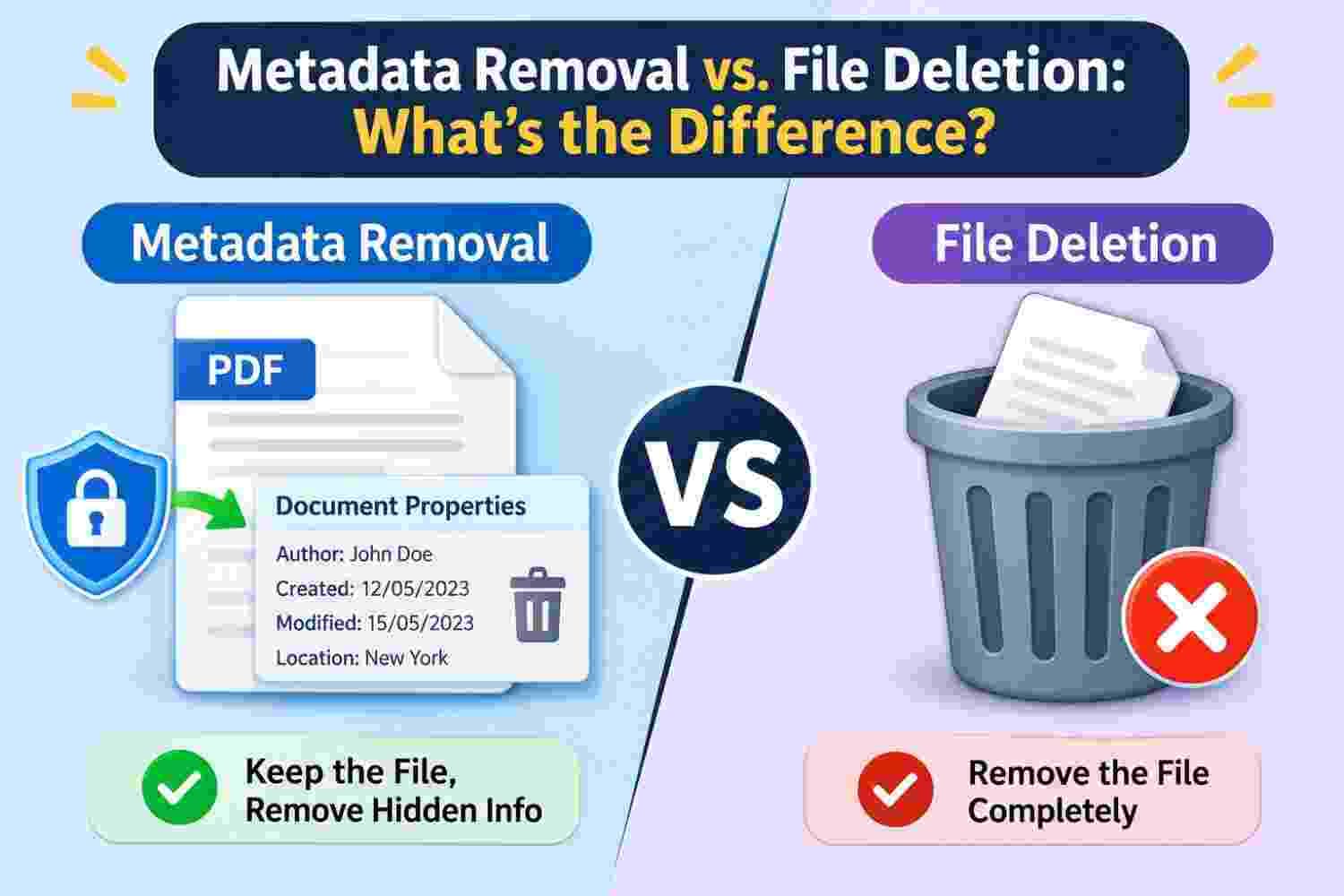
Purpose: File deletion is used when you want to remove an entire file, whereas metadata removal is used when you want to remove selected background information without deleting the document itself.
Effect on Content: When metadata is removed, the main content of the document generally remains unchanged. File deletion, on the other hand, removes the file from its usual storage location.
Privacy: Metadata removal can help limit the exposure of details such as author names, editing information, and other stored properties. File deletion is mainly used to get rid of unwanted files.
Storage Management: Deleting unnecessary files can help organize folders and manage storage space. Metadata removal does not usually provide the same storage benefit because the original file is retained.
Practical Example: If you want to share a report without exposing unnecessary author information, metadata removal may be suitable. If you no longer need an old report at all, deleting the file is the more appropriate choice.
In simple terms, metadata removal changes selected information associated with a file, while file deletion removes the file itself from its current location.
Practical Examples to Understand the Difference
Example 1: Sharing a Business Report
Suppose a company prepares a report for a client. The report contains approved figures and project details, but its metadata also includes the name of the employee who created it.
The company wants to share the report while limiting unnecessary background information.
Deleting the report would defeat the purpose because the client still needs its contents. Metadata removal is more appropriate if the relevant properties can be safely removed.
Example 2: Removing an Unwanted Download
Imagine your Downloads folder contains an outdated software installer that you no longer need.
There is no particular reason to keep the file or its properties. In this case, deleting the entire installer is the suitable action.
Metadata removal would not solve the storage problem because the file itself would remain.
Example 3: Publishing a Photograph Online
Before uploading a photograph, you may want to review details such as the camera model, capture date, or GPS coordinates.
If the image contains location information that you do not want to disclose, removing the relevant metadata may be useful. The photograph itself can remain available for viewing.
These examples show that the right method depends on what you want to achieve.
When Should You Choose Metadata Removal?
Metadata removal is useful when the file itself is important, but some of its stored properties are unnecessary or potentially sensitive.
Consider it in situations such as:
Sending business documents to external clients.
Publishing PDF files on public websites.
Sharing photographs that may contain location details.
Distributing reports with internal editing information.
Preparing documents for professional or public use.
A dedicated utility such as PCDOTS Metadata Eraser Software can be considered when users need a specific solution for handling unwanted metadata in supported files.
Before using any tool, review its supported file formats and removal capabilities to ensure it meets your requirements.
When Is File Deletion the Better Choice?
File deletion is more suitable when you no longer need the entire file.
For example, you may want to remove temporary downloads, outdated drafts, unnecessary screenshots, or files that are taking up storage space.
However, if the information is sensitive, ordinary deletion may not provide the level of protection required. In such cases, consider an appropriate secure deletion or storage-device sanitization method rather than assuming that removing a file from a folder makes its data unrecoverable.
Can Metadata Removal and File Deletion Be Used Together?
Yes. These processes can be part of the same file management routine, but they address different requirements.
For example, before sharing a collection of documents, you might inspect and remove unnecessary metadata from files that need to be retained. Separately, you can delete outdated copies that are no longer required.
This approach helps maintain an organized collection while reducing unnecessary information exposure.
It is also important to keep original copies or backups when the documents contain valuable information. After metadata changes, inspect the resulting files to confirm that the required content remains intact.
Final Thoughts
Metadata removal and file deletion may sound similar, but they solve different problems. File deletion removes an entire file from its usual location, while metadata removal targets background details stored within a file.
If your goal is to clear unwanted documents, deletion is generally appropriate. If you need to retain a document but reduce unnecessary information associated with it, metadata removal is the more relevant option.
Understanding this distinction makes everyday file management easier and helps users make better decisions when preparing digital information for sharing, storage, or long-term use.